
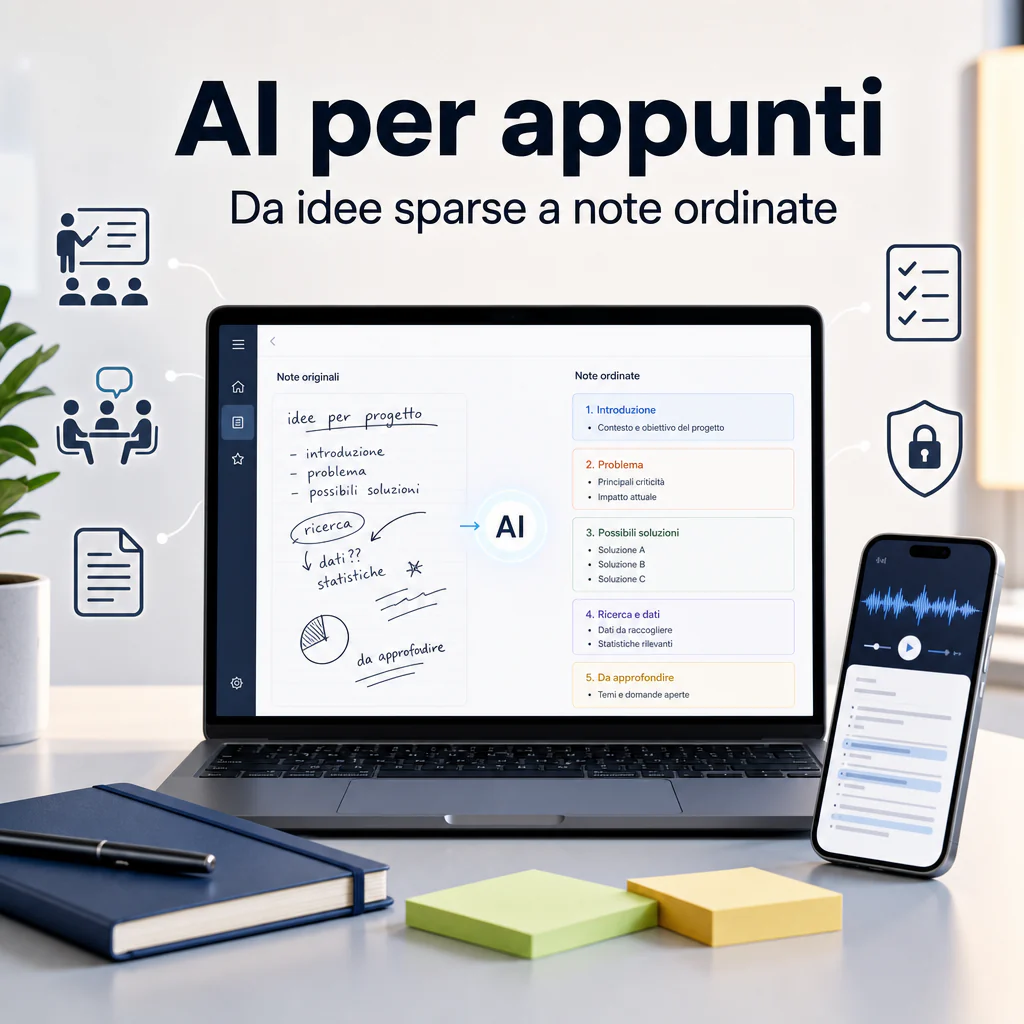
Using AI for note-taking means transforming lectures, meetings, documents, voice notes, and scattered ideas into more organized, searchable, and reusable notes. It’s not just about summarizing: the value lies in creating a method that reduces chaos, brings out key points, and makes notes useful even weeks later.
AI for note-taking: what it can transform into organized notes
AI for note-taking is useful when you have a lot of raw material and little time to organize it. It can start from a transcription, an audio file, a PDF, a web page, a presentation, poorly written notes, or a simple list of ideas. The best result is not just more elegant text, but clearer content, divided by sections, priorities, and actions.
This approach works both in studying and at work. A student can transform a recorded lecture into an outline. A team can convert a meeting into decisions, tasks, and open points. A consultant can take a long document and derive operational notes for a project.
Lectures, meetings, documents, voice notes, and scattered ideas
The most common inputs are four:
- Audio and video: university lectures, webinars, calls, internal meetings, interviews.
- Long texts: PDFs, manuals, handouts, reports, corporate documents.
- Raw notes: incomplete sentences, bullet points, notes taken in a hurry.
- Unstructured ideas: brainstorming, voice prompts, drafts, scattered messages.
The key step is moving from accumulated material to organized knowledge. However, a simple rule applies: the clearer the input, the better the output. If a recording is confusing or a text contains errors, the AI can reorganize it, but it cannot guess with certainty what is missing.
When to use text, audio, transcriptions, or screenshots
To get good notes, it’s best to choose the input based on the context. If you have a lecture or a meeting, start with the transcription. If you have a technical document, use the full text. If you have slides or images, use screenshots only when the visual content is truly relevant.
A frequent mistake is uploading everything without criteria. It’s better to divide the material into blocks: one lecture at a time, one chapter at a time, one meeting at a time. This way, the AI maintains context better and produces more organized notes.
Practical workflow for creating reusable notes
The most effective way to use AI for note-taking is to follow a stable workflow. There’s no need to complicate it. Just separate collection, cleaning, synthesis, verification, and reuse. This reduces the risk of getting superficial summaries or overly generic notes.
Input collection and initial material cleaning
Before asking the AI to write, prepare the material. Remove duplicates, irrelevant parts, meeting greetings, interruptions, and text not related to the topic. If you start from a transcription, at least check names, technical terms, and parts where the audio was unclear.
For a university lecture, for example, you can divide the text into these blocks:
- main definitions;
- concepts explained by the professor;
- practical examples;
- steps to be explored further;
- possible exam questions.
For a corporate meeting, instead, a useful structure is different:
- meeting objective;
- decisions made;
- assigned tasks;
- responsible parties;
- deadlines;
- open points.
Prompts and instructions to get clear notes
A good prompt doesn’t have to be long, but it must state what you want to achieve. For example:
“Transform this text into organized notes. Divide by topic, highlight key concepts, flag any unclear passages, and create a list of actions or questions to review.”
If you need a more precise output, add the format:
- study outline;
- meeting minutes;
- operational summary;
- table with concept, explanation, and example;
- activity checklist.
This step is important because many tools generate summaries that are correct but not very usable. The difference is made by the request: “summarize” produces a short text; “create notes for review, with definitions, examples, and doubts to verify” produces much more useful material.
AI for organizing existing notes
AI for organizing notes is often more useful than AI used from scratch. Many people already have notes, drafts, screenshots, and documents, but they can’t transform them into organized material. In these cases, the goal is not to create new content, but to give structure to what already exists.
A good procedure consists of asking the AI to keep all important information, eliminate repetitions, and organize the text by sections. This also helps when you have notes written during a call or a lecture, perhaps full of abbreviations and incomplete sentences.
How to reorder confused notes without losing details
To avoid losing information, avoid too drastic requests like “summarize to the maximum.” It’s better to use more controlled instructions:
- keep all relevant concepts;
- do not remove practical examples;
- separate facts, interpretations, and doubts;
- if a point is ambiguous, flag it instead of correcting it;
- create clear titles without changing the meaning.
This approach is especially useful for university notes, technical documentation, and corporate procedures. In these cases, a removed detail can change the meaning of the material.
Synthesis, titles, tags, and links between concepts
Once the text is reorganized, you can ask the AI to add titles, tags, and logical links. For example, it can highlight that a concept belongs to “marketing automation,” “CRM,” “customer care,” or “internal processes.”
For those working with a lot of content, an AI notebook can also be useful, meaning a system where notes, documents, and sources are collected in a searchable space. This way, notes don’t remain isolated files but become a knowledge base.
| Material Type | Useful Output | Recommended Check |
|---|---|---|
| University Lecture | Outline, definitions, questions | Verification of formulas and concepts |
| Corporate Meeting | Decisions, tasks, responsible parties | Confirmation of deadlines |
| Technical Document | Operational summary | Check of specialist terms |
| Brainstorming | Ideas ordered by priority | Separation between ideas and actions |
AI for university notes: operational study method
AI for university notes works well when used as a study support, not as a substitute for understanding. It can help transform a long lecture into a more digestible structure, but the student must still verify, integrate, and review.
The most solid method is in three steps. First, an organized summary is created. Then, concepts are transformed into questions. Finally, outlines or flashcards are built for review. This allows moving from passive reading to more active studying.
Outlines, maps, flashcards, and summaries for exams
To prepare for an exam, you can ask the AI to create different formats from the same material:
- synthetic outline to understand the structure of the topic;
- extended summary to review the main steps;
- flashcards to memorize definitions and concepts;
- open questions to simulate the exam;
- textual conceptual map to link different themes.
A practical prompt could be: “Transform these notes into study material. First create an outline, then 15 review questions, and finally a list of concepts to know well for the exam.”
If the course is technical, always add a caution request: “Do not modify formulas, dates, proper names, and specialist definitions. If a passage is not clear, highlight it.”
How to verify definitions, formulas, and critical passages
Verification is the most important part. AI can make mistakes, oversimplify, or merge concepts that should be separate. For this reason, it’s best to compare the generated notes with handouts, official slides, manuals, or sources indicated by the professor.
Verification should focus on:
- precise definitions;
- formulas and symbols;
- dates and historical references;
- names of authors, theories, or models;
- complex logical steps;
- exceptions and special cases.
In practice, AI can save you time in reorganization, but it must not become the only source. For serious study, the best notes are those generated by AI and then corrected by a person who knows the exam objective.
AI for taking notes in companies and internal processes
AI for taking notes in a company can improve meetings, procedures, and handovers. In many B2B environments, the problem is not a lack of information, but dispersion: decisions in calls, tasks in chats, files in different folders, and procedures in people’s heads.
Using AI in an organized way allows transforming this information into internal documentation. The result can be minutes, a checklist, a procedure, a knowledge base, or a report for the team.
Minutes, procedures, reports, and operational knowledge bases
In daily work, notes serve primarily to avoid loss of context. After a meeting, a good output should clarify what was decided, who has to do what, and which points remain open. After a call with a client, it should distinguish requests, constraints, priorities, and next steps.
For an internal procedure, instead, AI can transform scattered explanations into organized steps. For example:
- access to the tool;
- actions to perform;
- checks to make;
- common errors;
- process owner;
- update frequency.
This is particularly useful for repetitive activities such as lead management, content publishing, e-commerce updates, reporting, customer support, or quality control.
Standardizing notes and templates for different teams
To get consistent results, every team should use shared templates. A template reduces variability and makes notes easier to read. For example, a marketing team can use sections like “objective,” “channels,” “message,” “assets,” “deadlines,” and “metrics.” A technical team might prefer “problem,” “cause,” “solution,” “test,” “risks,” and “release.”
Those working in Italian can choose tools and workflows designed for the language, or configure prompts and outputs precisely. A useful deep dive is dedicated to the Italian AI notebook, especially when notes, documents, and processes must remain readable for a local team.
Standardization also helps over time. If every meeting produces notes with the same structure, it becomes easier to search for information, compare decisions, and recover context when a person joins the project later.
Errors, limits, and security when using AI for notes
AI for note-taking is useful, but it’s not neutral. It can omit details, misinterpret a sentence, give too much weight to a secondary passage, or produce an elegant but incomplete summary. For this reason, it must be used methodically, especially when notes concern clients, contracts, internal data, or personal information.
Omissions, hallucinations, and quality controls
The most common risk is omission. AI can cut parts considered unimportant, even when they are essential to you. Another risk is hallucination: the system can generate links or formulations that seem plausible but are not present in the source.
To reduce these problems, use simple controls:
- ask to separate “information present in the text” from “interpretations”;
- have uncertain passages highlighted;
- request a list of deleted or compressed points;
- check names, numbers, dates, and responsibilities;
- do not use automatic summaries for critical decisions without human review.
For important materials, you can use two steps: first have the notes created, then ask the AI to compare them with the original text and flag possible omissions. This doesn’t eliminate human control but helps identify obvious errors.
Sensitive data, privacy, and tool selection criteria
Before uploading documents or recordings, evaluate what they contain. Meetings with clients, health data, financial information, contracts, credentials, personal data, and confidential documents require great caution. Not all tools have the same policies, guarantees, or data management options.
When choosing a tool, check at least these aspects:
- where data is saved;
- if content can be used to train models;
- what deletion options are available;
- if there are business plans with administrative controls;
- if it supports separate roles, permissions, and access;
- if it allows exporting and backing up notes.
For personal or study use, you can start with simple solutions. For a cost-oriented overview, you can consult the guide on free AI for note-taking. In a company, however, the choice should also consider privacy, access control, integrations, and operational continuity.
A practical criterion is this: the more sensitive the content, the more governable the tool needs to be. For generic notes, a lightweight tool may suffice. For corporate processes, internal documentation, or client data, it’s better to use solutions with clear settings, separate accounts, and team-shared rules.
How to choose the right method for your notes
There is no single correct way to use AI for note-taking. The choice depends on the type of material, the required level of precision, and what you want to do with those notes afterward. A student has different needs than an operations manager, and an internal meeting doesn’t have the same weight as a legal document.
Quick notes, deep study, or internal documentation
For quick notes, aim for synthesis: clear titles, bullet points, and actions. For study, add questions, examples, and links between concepts. For internal documentation, instead, stable templates, clear responsibilities, and updated versions are needed.
A useful distinction is this:
- Personal notes: must be fast, readable, and easy to find.
- Study notes: must help understand, memorize, and verify.
- Work notes: must transform into decisions, tasks, and processes.
- Corporate documentation: must be precise, updated, and shareable.
Final format: text, table, checklist, or knowledge base
The final format matters as much as the content. A narrative summary is useful for reading, but not always for acting. A checklist is better for executing a process. A table helps compare. A knowledge base is used when the material must be reused by multiple people.
To choose, you can use this logic:
- if you need to understand a topic, use an outline;
- if you need to review, use questions and flashcards;
- if you need to execute, use a checklist;
- if you need to delegate, use a procedure;
- if you need to share with a team, use a standard template;
- if you need to preserve knowledge, use a knowledge base.
The central point is not to stop at automatic generation. Notes become truly useful when they are verified, organized, and linked to a concrete use: studying better, working with less confusion, recovering information more quickly, or transforming meetings and documents into clear actions.