
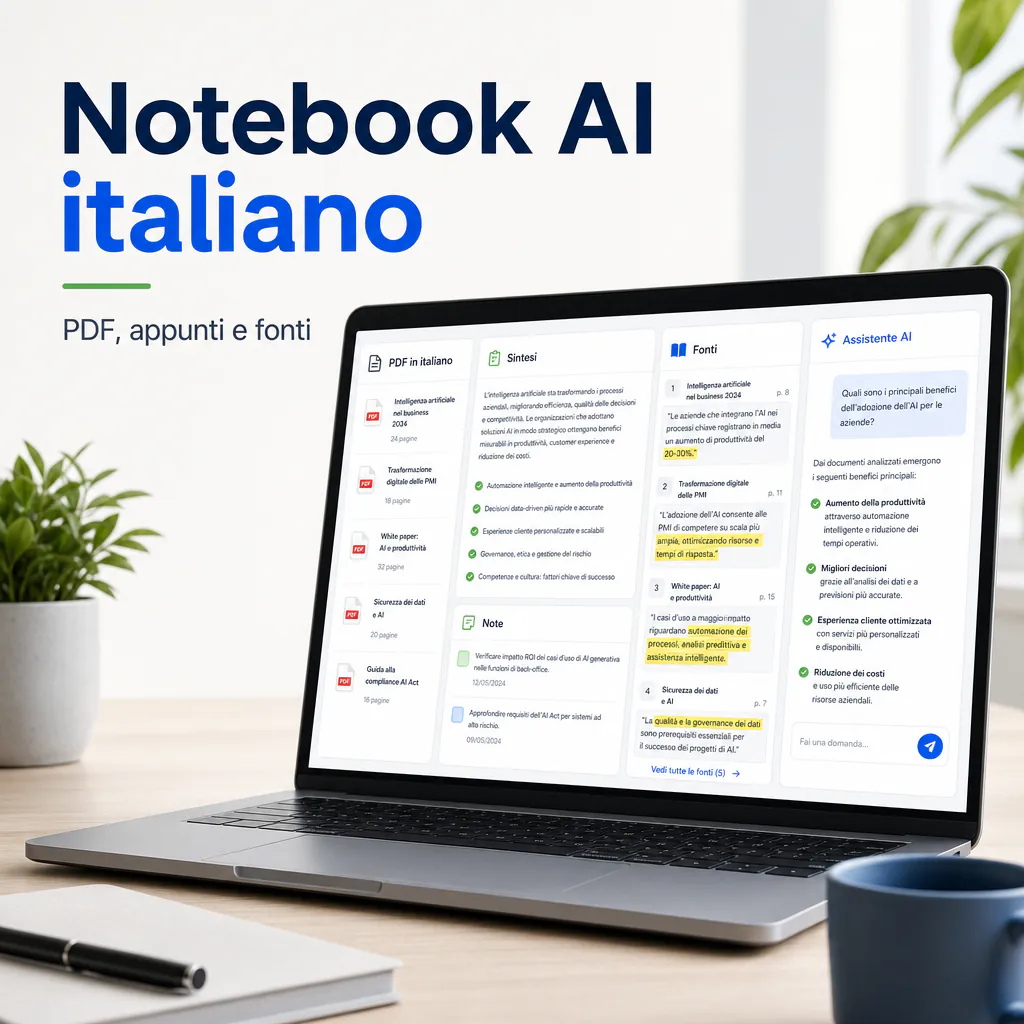
An Italian AI notebook is not just a note-taking app with an automatic assistant by its side. It is a workspace where you can upload sources, PDFs, transcripts, documents, notes, and company materials, and then ask questions to get summaries, comparisons, outlines, or drafts based on that content. The difference is concrete: you don’t need a generic chatbot, but a tool suitable for working with Italian texts, verifiable citations, and real documents.
Those looking for an Italian AI notebook usually have a practical need: to reduce the time spent reading, organizing, and rewriting information. This could be a freelancer who needs to analyze calls and client briefs, an SME that wants to transform internal procedures into reusable materials, or a professional who must study reports, regulations, emails, contracts, and presentations without missing important parts.
The goal is not to delegate everything to artificial intelligence. It is to use an AI notebook to speed up work on already available information, while maintaining control, context, and human common sense.
Italian AI Notebook: What It Really Means
Difference Between AI Notebooks and Simple Chatbots
A traditional chatbot responds based on the prompt and the information it already has in the model, or from any connected tools. It can be useful for writing, reasoning, translating, or generating ideas, but it is not always the best way to work on a specific archive of documents.
An AI notebook, on the other hand, is designed to organize sources. The user uploads or connects materials, then queries that workspace. This significantly changes the type of use: answers should be anchored to the provided documents, not just to the model’s general knowledge.
In practice, a good Italian AI notebook should help you:
- summarize PDFs, notes, reports, and transcripts in Italian;
- ask specific questions across multiple uploaded documents;
- extract key points, risks, decisions, and operational actions;
- create outlines, briefings, agendas, and work materials;
- maintain a clear link between the answer and the sources used.
The presence of sources is the real differentiator. If the tool does not allow you to understand where an answer comes from, it becomes more difficult to use in professional contexts.
When You Really Need a Notebook with Integrated AI
A notebook with integrated AI is useful when you have more material than you can effectively manage by hand. It is not indispensable for a single two-line note, but it becomes useful when working with long documents, many sources, or fragmented information.
Practical examples:
- you have meeting recordings and want to turn them into usable minutes;
- you need to compare quotes, briefs, or specifications;
- you want to analyze articles, research, and reports before writing content;
- you need to quickly retrieve information from technical documentation;
- you want to create an internal knowledge base for collaborators or clients.
In these cases, the value is not just the summary. The value is being able to go back to the information, ask different questions, request comparisons, and transform raw material into more organized outputs.
Quality of Results in Italian
Summarizing Texts, PDFs, and Notes in Italian
The first question to ask is simple: does the tool truly understand Italian or does it treat it as a secondary language?
Today, several AI solutions work well with Italian, but not all at the same level. Some correctly handle long documents, technical terms, and transcripts. Others produce fluid but too generic summaries, risking the loss of important nuances.
To evaluate an Italian AI notebook, it is advisable to run a test with real materials. Simply uploading a simple text is not enough. It is better to use a company PDF, a call transcript, a commercial report, or a technical document with acronyms, proper names, and ambiguous passages.
A good test consists of asking for:
- an executive summary in 10 lines;
- a list of decisions made;
- doubts or unclear points in the document;
- operational actions to be assigned;
- a table with problems, causes, and possible interventions.
If the answers are precise, readable, and consistent with the original text, the tool can be useful. If, instead, it produces pleasant but vague sentences, or adds information not present in the sources, it is better to use it with caution.
Accents, Technical Terms, and Cultural Context
Italian is not just grammar. In a real document, you find accents, abbreviations, Anglicisms, industry terms, idioms, and poorly written sentences. An AI notebook must withstand this level of noise.
In B2B work, for example, it is common to find words like “lead”, “pipeline”, “average ticket”, “margin”, “SLA”, “CRM”, “workflow”, “retention”, or “customer care”. A useful tool should not translate them randomly or simplify them to the point of changing their meaning.
The same applies to legal, healthcare, tax, or technical documents. In these cases, AI can help read and organize, but it must not replace expert verification. The risk is not just an obvious error, but a small distortion: a misinterpreted sentence, an inverted priority, or a condition presented as a certainty.
This is why it is important to choose tools that show references to sources. Citations or links to the original document do not eliminate all risk, but they make checking much easier.
Italian AI Notebook for Documents and Sources
How It Handles Citations, References, and Uploaded Sources
An Italian AI notebook should work transparently on sources. If you ask “what are the three main problems that emerged in this transcript?”, the tool should make it clear which passages it is basing the answer on.
Google NotebookLM, for example, is designed to query sources uploaded by the user and supports various types of materials, including PDFs, documents, presentations, websites, YouTube videos with transcripts, and audio files. In the official documentation, Italian is included among the supported languages even for audio import.
This is relevant for those working in Italy, as it allows the notebook to be used not only with written PDFs but also with recordings and transcripts in Italian. However, it remains fundamental to verify the quality of the audio file, the precision of the transcription, and the tool’s ability to distinguish speakers or technical passages well.
Microsoft is also moving in this direction with Copilot Notebooks in OneNote, integrated into the Microsoft 365 ecosystem. In that case, the main advantage is the integration with Word, Excel, PowerPoint, OneDrive, SharePoint, and OneNote. For companies already within Microsoft 365, it may be more natural than a separate tool.
The choice, therefore, is not just about which AI is more powerful, but where the documents already live. If your company uses Google Drive, a solution linked to the Google ecosystem can reduce friction. If it uses Microsoft 365, Copilot in OneNote may be more consistent with internal flows.
Limits in Reading PDFs, Transcripts, and Long Files
AI notebooks are useful, but they are not infallible. Poorly scanned PDFs, complex tables, documents with many images, disorganized notes, and transcripts full of errors can create problems.
A PDF may seem readable to the eye but not be extracted correctly by the tool. A table may lose columns. A footnote may not be imported. A video may not have a transcript available. Audio with background noise may generate incorrect sentences.
For this reason, when working with a notebook with integrated AI, it is advisable to prepare the sources before uploading them. Clear file names, updated versions, selectable text, and clean transcripts greatly improve the quality of the output.
A good habit is to divide very long documents into logical blocks. For example:
- client brief;
- initial analysis;
- technical report;
- meeting transcript;
- commercial materials;
- internal operational notes.
This way, you can ask more precise questions and reduce the risk of the tool retrieving irrelevant passages.
Privacy and Data Control
Where Company Files, Notes, and Documents End Up
Privacy is one of the most important points in choosing an Italian AI notebook, especially if you use it for work. Uploading a personal handout is not the same as uploading contracts, client data, tax documents, commercial strategies, or internal procedures.
Before using any tool, it is necessary to read the terms of service and understand at least three things:
- if uploaded files are used to train or improve models;
- who can access the data and in what cases;
- how storage, deletion, and sharing are managed.
For business accounts, Google indicates that NotebookLM is subject to the terms applicable to Workspace and that, in qualified editions, uploads, queries, and answers are not used to train AI models nor reviewed by human reviewers. Microsoft, in the context of Copilot, links the experience to the licenses and rules of the Microsoft 365 environment.
This does not mean every use is automatically secure. It means you must distinguish between personal use, business use, free plans, business plans, and administered configurations. In an SME, this distinction is often ignored, but that is exactly where the risks arise.
What to Verify Before Using an AI Notebook
Before adopting an AI notebook, it is advisable to create a small internal checklist. It doesn’t have to be bureaucratic, but it should avoid trivial mistakes.
| Aspect to Verify | Why It Matters | Practical Check |
|---|---|---|
| Italian Language | Avoids imprecise summaries or unnatural translations | Test with real Italian PDFs and transcripts |
| Sources and Citations | Allows for checking answers | Always ask for references to original passages |
| Privacy | Protects company and client data | Read terms, plan used, and admin settings |
| Supported Formats | Reduces manual work before upload | Try PDFs, documents, audio, and URLs |
| Workflow | Determines if it will actually be used by the team | Link it to existing processes |
This verification is more important than the name of the tool. A very famous product may be unsuitable if it doesn’t integrate into the company’s real flow. Conversely, a less flashy tool can work well if it solves a specific problem.
Use Cases for Freelancers, SMEs, and Professionals
Analysis of Meetings, Reports, and Commercial Materials
One of the most immediate use cases is meeting management. Many professionals have recordings, transcripts, scattered notes, and follow-up messages after a call. The problem is turning all this into a usable output.
An Italian AI notebook can help move from a confused transcript to an operational document. For example, you can ask:
- what requests the client made;
- what objections emerged;
- what activities were promised;
- which points require confirmation;
- which commercial proposal is most consistent with the conversation.
This type of work is very useful for consultants, agencies, accountants, technical firms, trainers, and marketing teams. It doesn’t replace human listening, but it reduces the time lost searching for information within long materials.
If your goal is to turn notes into more reusable assets, it can be useful to pair the notebook with a more structured workflow. In this sense, a guide on AI for notes and practical workflows for reusable notes helps you think not only about the tool but also about the process: how you take notes, how you archive them, how you retrieve them, and how you turn them into decisions.
Support for Marketing, Training, and Internal Processes
Another strong case involves marketing and training. A company can upload already available materials, such as brochures, presentations, guidelines, articles, procedures, manuals, and reports. From there, it can generate content drafts, outlines, briefs, video scripts, onboarding materials, and internal documents.
The advantage is not just writing faster. The advantage is maintaining consistency with already approved sources. If the notebook works on verified company documents, it is easier to avoid content disconnected from the company’s actual positioning.
For example, an SME can use an AI notebook to:
- create an internal guide for new collaborators;
- summarize operational procedures;
- extract frequently asked questions from client tickets;
- transform webinars and calls into training materials;
- prepare briefs for multichannel marketing campaigns.
In the e-commerce world, the same approach can serve to analyze reviews, client requests, product sheets, return policies, and qualitative data. In the B2B world, it can help build commercial materials more aligned with the actual questions of prospects.
Be careful, however, not to use the notebook as a chaotic archive. If you upload everything without criteria, you will get less clean answers. It is better to create separate notebooks by project, client, company area, or objective.
How to Choose the Right Notebook with Integrated AI
Practical Criteria: Language, Sources, Reliability, and Cost
To choose a notebook with integrated AI, the first criterion is the quality of the Italian. An Italian interface is convenient, but not enough. What matters more is the ability to understand Italian documents, handle specific terminology, and produce natural outputs.
The second criterion is source management. A valid tool must allow you to understand which documents it is using and, when possible, show verifiable references. This is essential for those using AI professionally.
The third criterion is integration. If you already work in Google Drive, Microsoft 365, Notion, or other environments, evaluate how well the notebook connects to existing files. Copying and pasting everything by hand may be fine for a test, but it doesn’t scale in a business flow.
The fourth criterion is the real cost. Some tools seem free but have limits on sources, queries, space, users, or advanced functions. Others require already active corporate licenses. The price should be evaluated alongside the time saved and the sensitivity of the data processed.
A practical evaluation can follow this order:
- try the tool with a real Italian document;
- verify if it cites sources well;
- check what happens with long PDFs or transcripts;
- read the privacy settings of the plan you will actually use;
- measure if it reduces work on a concrete case, not a demo example.
Those starting from scratch can also compare multiple options. Some look for an AI notebook for study and research, others need a more corporate space with controls, permissions, and integration into team documents. These are different needs and should be treated differently.
Mistakes to Avoid Before Adopting It in the Company
The first mistake is thinking that an Italian AI notebook eliminates the need to read. In reality, it shifts the work: you read less raw material, but you must better check the important answers.
The second mistake is uploading sensitive documents without a policy. Even in small companies, it is necessary to decide what can be uploaded, by whom, and with which account. Client files, personal data, and strategic information must not end up in unverified tools.
The third mistake is using prompts that are too vague. Questions like “summarize everything” often produce weak outputs. It is better to ask for specific tasks:
- “extract only the operational decisions”;
- “indicate points not supported by the sources”;
- “create a table with problem, impact, and priority”;
- “summarize the document for a commercial manager”;
- “find contradictions between these two files”.
The fourth mistake is not creating a workflow. An AI notebook works well when it enters a clear sequence: source collection, cleaning, upload, questions, verification, transformation into output, archiving. If it remains an isolated experiment, it will be abandoned after a few days.
For those who want to start without a budget, there are also free tools and plans to test, albeit with limits. An overview of free AI for note-taking can be useful to understand what to try before introducing more structured solutions.
Notebooks with Integrated AI: Choice Scenarios
For Personal Use and Professional Study
For personal use, study, or professional updating, the priority is simplicity. You must be able to upload sources, ask questions, and get clear summaries without complex configurations.
In this scenario, an Italian AI notebook should help you:
- study PDFs and handouts;
- summarize articles and research;
- create concept maps or outlines;
- prepare questions for an exam, a call, or a presentation;
- organize notes taken at different times.
Privacy remains important, but the level of risk depends on the content. Uploading personal notes is different from uploading client data or confidential documents. Even in individual use, however, it is good practice to avoid sensitive materials if you are not certain of the terms of service.
The experience in Italian also matters a lot here. A clear interface reduces friction, but the real test is the quality of the answers. If the tool produces rigid summaries, strange translations, or unnatural sentences, it becomes tiring in the long run.
For SMEs, Teams, and B2B Consultants
For SMEs and B2B consultants, the conversation changes. The notebook is not just personal support, but can become a piece of the company’s operating system. It can help transform scattered knowledge into documentation, procedures, and sellable materials.
An agency, for example, can create a notebook for each client. Inside, it can put briefs, reports, call notes, analyses, project documents, and approved materials. This way, whoever works on the client can retrieve context faster.
A service company can use it to analyze tickets, recurring requests, and support materials. An e-commerce can use it to organize information on products, returns, complaints, and marketing content. A professional firm can use it to organize documentation, internal notes, and regulatory materials, always with adequate attention to confidentiality.
In these cases, the choice should take into account:
- user and permission management;
- compatibility with tools already in use;
- data processing policy;
- ease of team training;
- ability to keep sources updated.
The AI notebook should not create another place to lose information. It should reduce fragmentation, not increase it.
Realistic Limits of an Italian AI Notebook
When Answers Seem Correct but Must Be Verified
The most delicate limit of AI is that it can produce very convincing answers even when they are not perfect. This also applies to notebooks based on sources. The fact that a tool works on uploaded documents reduces the risk of inventions, but does not eliminate it entirely.
It may happen that an answer oversimplifies, omits an exception, merges distinct concepts, or gives more weight to one source than another. For this reason, in important processes, verification remains mandatory.
A practical rule: the more an output has economic, legal, health, or reputational consequences, the more it must be checked. An internal summary can tolerate small imperfections. A contractual clause, a communication to a client, or a strategic decision cannot.
The best way to reduce risk is to ask the tool to separate facts, interpretations, and doubts. For example: “indicate which statements are directly supported by the sources and which are deductions”. This simple request greatly improves the quality of human control.
How to Write Better Prompts in Italian
To get good results from an Italian AI notebook, the prompt must be clear. You don’t need to write very long instructions, but you do need to state clearly what you want.
A weak prompt is: “give me a summary”.
A better prompt is: “summarize this document for an entrepreneur who has to decide whether to approve the project. Highlight benefits, risks, hidden costs, and decisions to be made”.
Another useful prompt is: “read these sources and create a table with problem, evidence in the text, impact on business, and possible action”. This type of request forces the tool to work in a more organized way.
For Italian documents, it is also advisable to specify the linguistic register. You can ask for an operational, technical, commercial, informative, or synthetic tone. You can ask not to translate English terms normally used in the sector. You can ask to keep proper names, acronyms, and references exactly as they appear in the documents.
The quality of the notebook also depends on the quality of the instructions. A good tool with vague prompts produces average results. An average tool with clear prompts can become much more useful.
Operational Workflow for Using an Italian AI Notebook
Preparing Sources Before Uploading Them
Before uploading materials, it is advisable to get organized. You don’t need to create a perfect archive, but at least avoid obvious chaos. Duplicate documents, old versions, unnamed files, and uncorrected transcripts worsen the result.
A simple structure could be this:
- a folder per project or client;
- descriptive file names;
- one source for each important document;
- clean transcripts when possible;
- removal of irrelevant files.
If you are working on a client project, you can create a separate notebook with only the relevant sources. If you are building an internal knowledge base, you can divide notebooks by department: commercial, marketing, operations, customer support, training.
This approach makes answers more precise and facilitates maintenance. When a document changes, you know where to update the source.
Transforming Answers into Reusable Materials
The highest value comes when the notebook’s answers become reusable materials. Don’t just ask for a summary and leave it in the chat. Turn it into a procedure, a checklist, a brief, a draft email, an outline, or an operational document.
A simple workflow could be:
- upload sources;
- ask for an initial summary;
- ask for risks, doubts, and missing points;
- generate an operational table;
- verify important passages against sources;
- save the final output in the company system.
This is the point where AI becomes truly useful for freelancers and SMEs. Not because it writes in your place, but because it reduces the time between raw information and concrete action.
A well-chosen Italian AI notebook can become a research assistant, a note-taking support, a tool for organizing documents, and a base for creating clearer processes. The result depends less on the trend of the moment and more on three factors: quality of sources, human control, and integration into daily work.