
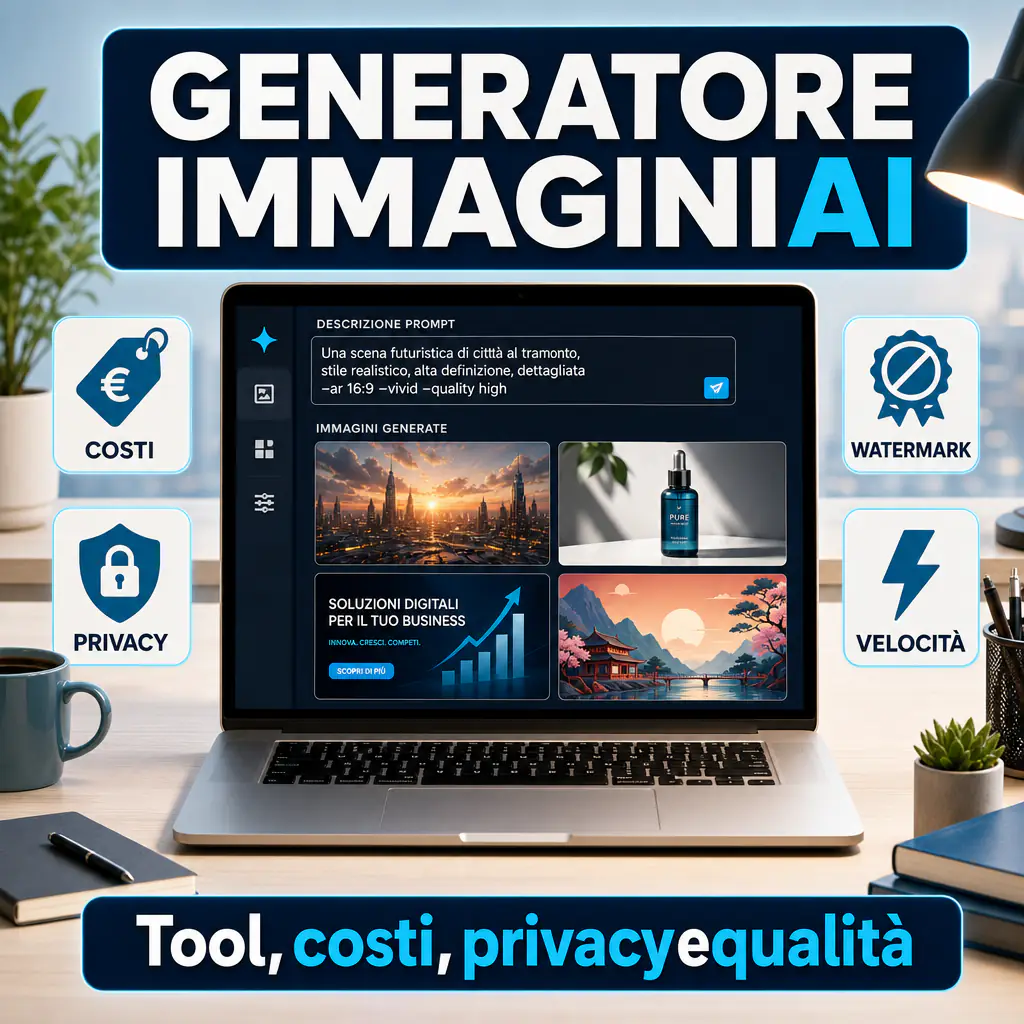
An AI image generator is used to transform a prompt into an image ready to be used, modified, or tested. Today, the point is no longer just creating something beautiful, but understanding which tool is truly convenient based on time, control, usage rights, and privacy. If you want to start with a quicker overview of free tools, you can also see this guide on free AI image generators, useful for getting oriented before moving to more complete platforms.
AI Image Generator: What it actually does and who it’s for
Those looking for this type of tool usually don’t want a simple gallery of examples. They want to understand which one to use to get a precise result in a short time, without discovering too late the limits on watermarks, licenses, or uploaded data. This is where the real differences between one platform and another begin.
In practice, these tools read a text input, sometimes even a starting image, and produce a visual output consistent with instructions on subject, style, framing, light, palette, aspect ratio, and level of detail. Some excel in pure creativity. Others are stronger in editing, text rendering, or workflows for marketing and design teams.
The value changes significantly based on the context:
- for casual use, speed is the most important factor;
- for marketing, format, visual consistency, and ease of iteration matter;
- for design, control over style is key;
- for business use, privacy, rights, traceability, and cost predictability also matter.
That’s why the best tool isn’t always the one that produces the most impactful image on the first try. Often, it’s the one that fits best into your work process.
How a prompt-based AI image generator works
The basic mechanism is simple: you write a prompt, the model interprets the text, and generates one or more images. But the quality of the result depends on three concrete factors:
- how well the model understands natural language;
- how well it follows the prompt constraints;
- how strong it is in the editing and refining phase.
The most recent models don’t just create a scene. They are better at layouts, consistent objects, lighting, composition, and progressive modifications. Some allow you to start from sketches, mockups, or real images and make localized corrections. This is useful when you need to adapt creatives for ads, product sheets, hero images, or visuals for landing pages.
If you want to delve deeper into the operational side of prompting, you can find useful tips in the guide on how to generate images with AI, especially to understand how to go from a generic idea to a prompt that returns cleaner and more usable images.
Differences between personal, marketing, design, and business use
An occasional creator can tolerate less stable results and some download limits. A company cannot. If you need to produce assets for campaigns, e-commerce, or commercial materials, you need more control.
The most important differences are these:
- Personal Use: quick access, even from a browser, and a free or cheap plan are what count.
- Marketing: adaptable formats, quick variants, and images consistent with the brand are needed.
- Design: stylistic control, precise editing, and higher quality in details are required.
- Business: clear rules on commercial use, privacy, watermarks, and content origin are necessary.
The main AI image generators to know
The market is more mature, but also more fragmented. There is no single absolute winner. There are platforms strong in native generation, others in editing, and others still in commercial security or developer integration.
Overview of the most used AI image generators today
OpenAI is one of the most solid options if you need generation and editing within a modern flow. In the official documentation, OpenAI presents models dedicated to generating and modifying images, with support for different formats and iterative workflows. Another relevant point is the presence of provenance signals such as C2PA and SynthID, useful when transparency counts.
For a marketing or product team, this translates into three advantages: valid images from the first prompt, iterative editing, and integration into custom workflows. Furthermore, OpenAI states that, by default, it does not train models on API customer data.
Midjourney remains very strong on the aesthetic level. It is often chosen when the focus is visual rendering, especially for concepts, illustration, moodboards, and impactful images. In the official plans, it distinguishes between access levels and includes more advanced options like Stealth Mode, available in higher plans, useful if you want to keep generations private.
Adobe Firefly has a very clear positioning: less surprise effect, more integration into creative work, and attention to the legal side. Adobe states that Firefly models were trained on licensed and public domain content, and also specifies that it does not train Firefly on the personal content of Creative Cloud subscribers. For those working with clients, brands, or commercial assets, this is a relevant point.
Then there is the open-source or self-hosted world, which includes local models and customizable flows. Here the main advantage is control: more privacy, more customization, more possibilities to integrate LoRA, stylistic models, or internal pipelines. The downside is that more technical expertise is needed and results are not always as immediate as in consumer tools.
Generalist tools and tools designed for creative teams
One thing is using an online AI image generator to create a visual on the fly. Another is inserting it into a process where copy, brand kits, ads, landing pages, and format variants come into play.
Generalist tools are good if you need to:
- test ideas quickly;
- create images for blogs or social media;
- produce concepts without a structured creative department.
Tools for creative or enterprise teams are better if you need to:
- maintain consistency across multiple assets;
- work with internal approvals;
- reduce risk on copyright, origin, and commercial use;
- insert AI into an existing pipeline.
If your goal is realism, it can also be useful to compare tools oriented towards photographic rendering, because not all handle faces, skin textures, hands, reflections, and depth in the same way. On this topic, the dedicated focus on the AI photo generator is also useful, helping to distinguish between stylized images and outputs closer to a credible photograph.
How to evaluate the best AI image generator
The right question is not which one is the best overall, but which one lets you get the right result with the least friction. To evaluate it well, you need practical criteria, not generic impressions.
Speed, visual quality, and style control
The first three elements to look at are:
- Output speed: very important if you are brainstorming, A/B testing, or creating recurring content.
- Visual quality: not just impact, but also anatomical consistency, cleanliness, lighting, and material management.
- Stylistic control: useful if you need to work within precise guidelines.
On these aspects, Midjourney often stands out for artistic rendering, OpenAI is strong when you want to combine quality and conversational editing, while Adobe Firefly tends to be chosen when the priority is insertion into more controlled professional creative workflows.
The best tool for an agency creating ads doesn’t necessarily coincide with the best for a freelancer producing concepts or for an e-commerce site that needs to quickly prepare lifestyle images.
A good initial test consists of repeating the same prompt across multiple tools, varying only the aspect ratio and the level of detail. If the tool returns consistent results after a few attempts, it’s a good sign. If instead it requires continuous workarounds, it risks slowing you down more than helping you.
Ease of use, consistency of results, and customization
The quality of a tool is also seen when you have to go back to work already done. Some platforms produce a strong image, but then struggle if you ask for small modifications. Others are less spectacular at first glance but much more manageable over time.
Useful questions to ask yourself are:
- can it maintain characters and style across different variants?
- can I correct only one part of the image?
- does it handle text, logos, objects, and packaging well?
- does it make me lose time or save it?
OpenAI, for example, in its updated documentation, focuses heavily on multi-turn editing and the ability to use generation and modification within conversational flows. This is a concrete advantage if you work by iterations, approvals, or multiple versions of the same visual.
Online AI image generator: practical advantages and limits
An online AI image generator is almost always the simplest entry point. Open the browser, write the prompt, get an image. For many users, this is enough. But as soon as use becomes more serious, limits emerge that are worth knowing immediately.
When it’s worth using an online AI image generator
It’s worth it if you need operational speed and don’t want to deal with technical setup. It’s ideal for:
- quick drafts;
- social posts;
- visual tests for campaigns;
- support for editorial content;
- presentations and mockups.
For a small team, this means reducing the time between idea and first asset. This is the real advantage: less friction, fewer steps, more tests.
Many companies start this way. Then, if volume grows, they move to more structured plans or hybrid solutions with APIs and automations. At that point, it’s not just about image quality, but the ability to replicate the process.
Privacy, watermarks, and management of uploaded files
Here it’s worth being concrete. When you upload images, mockups, faces, or internal materials, you are touching on privacy and data control. Not all tools behave the same way.
OpenAI states that API customer data is not used to train models by default. Adobe states that it does not train Firefly on the personal content of Creative Cloud subscribers. Midjourney, on the other hand, must also be evaluated based on content visibility: in official plans, Stealth Mode is only available to Pro and Mega levels.
On the topic of watermarks and provenance, there are at least two different aspects:
- visible watermark, meaning a mark that appears in the image;
- invisible provenance or metadata, useful for verifying the origin of the file.
OpenAI specifies that images generated with its tools include Content Credentials and signals like C2PA and SynthID. Adobe focuses on Content Credentials as a content provenance label. This alone does not guarantee total freedom of use, but it helps in terms of transparency and internal governance.
If your flow involves sensitive materials or client assets, it’s not enough to ask if the tool makes beautiful images. You must also ask where the files end up, who can see them, and which privacy functions are actually included in the plan you are paying for.
Costs, licenses, and commercial use of generated images
One of the reasons many users change platforms after a few weeks is simple: at first, they look at the result, then they realize the cost model doesn’t hold up. Or that the rules on commercial use are less straightforward than they thought.
Free plans, credits, and paid models
The cost of an AI image generator doesn’t just depend on the monthly fee. It depends on how you pay for experimentation.
OpenAI, on the API side, adopts a consumption model with separate costs for input and output. Midjourney uses a tiered subscription system. Adobe Firefly instead follows a logic based on generative credits in Firefly and Creative Cloud plans.
In general:
- free plans are useful for understanding the interface and doing light tests;
- credit-based plans are convenient but less predictable if you work at high volume;
- flat subscriptions are easier to plan, but don’t always include privacy or high priority;
- APIs are great when you want to automate production or embed generation into a product.
Usage rights for advertising, e-commerce, and content
Here, caution is needed. Being able to use content in a commercial setting doesn’t automatically mean being covered in every scenario. The type of output, the context of use, the platform policy, and in some cases, the active plan matter.
Midjourney indicates general commercial usage rights and notes specific conditions for some companies based on the plan. Adobe builds much of its positioning on the fact that Firefly is designed to be commercially safer, thanks in part to the provenance of the training data. OpenAI reminds that provenance signals do not automatically certify ownership, accuracy, or correctness of the image context.
For advertising, e-commerce, and client materials, the minimum checks to perform are:
- does the platform allow commercial use in your plan?
- are there limits related to the size or profile of the company?
- does the output contain recognizable elements, brands, or problematic faces?
- do you need traceability or proof of provenance?
When talking about images created with AI, the issue is not just whether they can be used, but whether they can be used sustainably, safely, and defensibly in one’s own context. For a social post, the risk level is one. For a paid campaign or a creative for a client, it’s another.
How to choose the right tool based on the goal
The final choice should be made by usage scenario, not by fashion. If you choose well here, you save hours of work and reduce unnecessary errors.
The best tool for social, blogs, ads, and presentations
For social and blogs, a fast tool with a simple interface and already good output without too much refining is best. If you publish often, it’s better to prioritize speed and ease of reuse.
For ads, however, consistency, control, and the ability to create variants without starting from scratch are needed. Here, editing, prompt adherence, and compatibility with workflows already used by the team become important.
For commercial presentations, slides, and pre-sales materials, the compromise often wins: a tool capable of producing clean, understandable images and fast enough to iterate during material preparation.
In practical summary:
- OpenAI: very strong if you want generation, editing, and API integration;
- Midjourney: great if visual impact is the priority;
- Adobe Firefly: strong for creative teams and business environments attentive to licenses and traceability;
- local or open-source solutions: sensible if privacy is critical or you want deep customization.
The most suitable tool for prototypes, concepts, and corporate flows
For prototypes and concepts, speed comes first. You need to see ideas, not refine the perfect pixel. In this case, the ability to produce variants, change direction on the fly, and test different styles with a few prompts counts a lot.
For corporate flows, however, stricter requirements are needed:
- team-manageable access;
- clear rules on data processing;
- predictable costs;
- integration with other tools;
- governance on provenance and use of content.
If you work in a company or agency, the best approach is almost always this:
- choose a main tool for the bulk of production;
- keep one or two secondary tools for specific cases;
- define an internal checklist on privacy, rights, and quality before publication.
The point, in the end, is not to find a perfect generator. It’s to choose a system that lets you produce better, faster, and with less operational friction.