
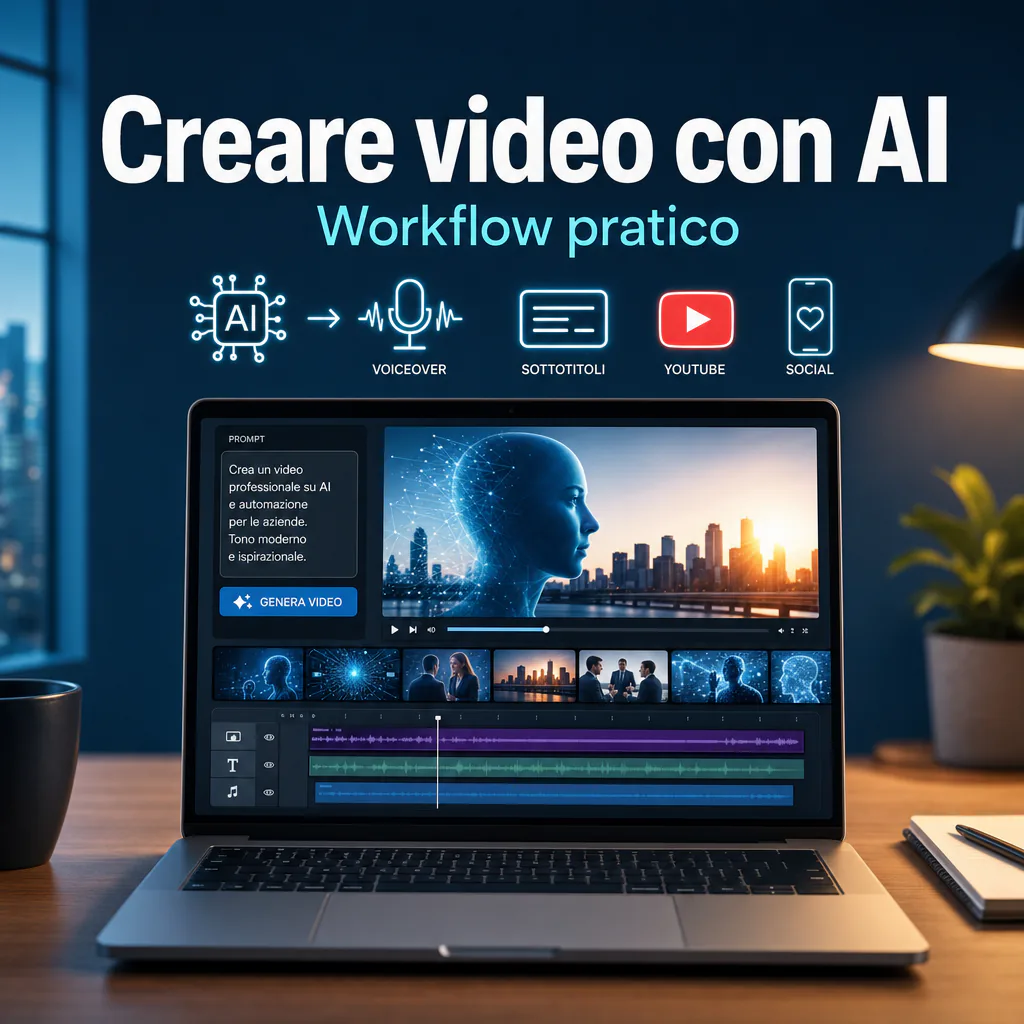
Creating AI videos doesn’t mean pressing a button and always getting content ready to publish. It means using generation tools, scripts, prompts, editing, and revision to produce videos faster, with fewer manual steps and more precise creative control. If you want a broad overview of the topic, the natural starting point is the article dedicated to AI videos, useful for understanding what this technology can do today and where human intervention is still needed.
AI video tools have become much more mature. Models like Sora, Runway Gen-4, Google Veo on Vertex AI, and Adobe Firefly Video Model show a clear direction: video production is becoming more accessible, but it’s not yet fully automatic.
Creating AI Videos: What You Can Actually Achieve Today
Today, creating AI videos is particularly useful for short content, dynamic visuals, creative drafts, social videos, simple ads, training materials, introductory YouTube videos, animations, talking avatars, and B2B content to support marketing and sales.
The result depends on three factors: prompt quality, tool choice, and revision work. A generic prompt often produces beautiful but uncontrollable scenes. A more precise workflow, however, allows you to obtain videos consistent with brand, format, and objective.
Realistic Quality of AI-Generated Videos
Visual quality has grown significantly, especially in camera movements, lighting, depth, and cinematic rendering. Some tools can generate clips with audio, sound effects, or synchronized dialogue. However, this doesn’t mean every output is ready for a campaign or a corporate channel.
Common errors are still present:
- hands, faces, or objects that change shape during the scene;
- poorly displayed text within the video;
- inconsistent movements between one clip and another;
- visual style differing from one generation to the next;
- audio not always natural or perfectly synchronized;
- difficulty maintaining the same character across multiple scenes.
For this reason, the generated video should be considered a production base. In some cases, refining audio and subtitles is enough. In others, editing, color correction, cuts, frame correction, or regeneration of entire scenes is required.
When AI Speeds Up Work and When Human Editing is Still Needed
AI greatly accelerates the ideation and prototyping phase. You can go from a text description to a video draft in a few minutes. This is useful when you need to test a concept, prepare creative variants for ads, create a social video, or visualize a scene before investing in traditional production.
Human editing remains important when the content must be precise, recognizable, and reliable. A corporate video, a product demo, training content, or a sales video cannot rely on aesthetics alone. They must communicate well, respect the brand, avoid ambiguity, and guide the user toward an action.
How to Create AI Videos Starting from Objective and Format
Before opening an AI video generator, you need to know what you are trying to achieve. Many disappointing results stem from a simple mistake: starting with the tool instead of the content.
If you want to understand how to create AI videos practically, always start with these questions:
- is the video for informing, selling, entertaining, or explaining?
- will it go on YouTube, LinkedIn, TikTok, Instagram, a website, or a landing page?
- should it be vertical, square, or horizontal?
- is a voiceover needed or just music and text?
- should the video show people, products, interfaces, environments, or animations?
- how much control is needed over brand, colors, style, and message?
Defining Audience, Channel, and Duration Before Generating the Video
A B2B LinkedIn video doesn’t have the same rhythm as a TikTok video. A YouTube tutorial doesn’t have the same structure as an advertising creative. This is why it’s better to define the audience, channel, and duration first.
For a corporate audience, clear, direct, and concrete content usually works best. Fewer gratuitous effects, more practical examples. For a creator or social content, rhythm, initial hook, quick cuts, and visual impact matter a lot.
| Channel | Recommended Format | Ideal Use |
|---|---|---|
| YouTube | 16:9 horizontal | Guides, tutorials, explanations, evergreen content |
| Shorts, TikTok, Reels | 9:16 vertical | Quick clips, awareness, snackable content |
| 1:1 or 4:5 | B2B content, insights, mini case studies | |
| Landing page | 16:9 or responsive embed | Demos, offer explanation, trust building |
| Advertising | Multiple variants | Creative tests, hooks, commercial messages |
Choosing Between Social Videos, Ads, Tutorials, Corporate Content, and YouTube
The choice of format also influences the type of prompt. A prompt for a social video must describe rhythm, energy, quick shots, and on-screen text. A prompt for a corporate video should focus on clarity, credibility, and visual consistency.
For example, if you need to create an AI video for a B2B campaign, it’s not enough to ask for a “modern video on corporate automation.” It’s better to specify the scenario, audience, and message: “office of a small Italian company, operational team automating reports and customer notifications, professional tone, natural light, realistic style, calm rhythm, 16:9 format.”
Prompts, Scripts, and Storyboards for Creating an AI Video
The prompt is important, but not enough on its own. The most solid way to create AI videos is to first build a mini-structure: objective, script, scenes, style, audio, and revision. This reduces errors and makes the result more controllable.
A good workflow starts with a clear sentence: “This video must make the viewer understand what changes after automating a process.” From here, you can build the script and then transform it into scenes.
How to Write Clear Prompts for Scenes, Style, and Rhythm
An effective prompt should contain useful details, not useless decorations. It’s advisable to include:
- main subject of the scene;
- environment;
- action;
- visual style;
- camera movement;
- light and atmosphere;
- format;
- duration;
- any audio or voice;
- things to avoid.
A practical example:
Weak prompt: “Create a video about a company using artificial intelligence.”
Better prompt: “Realistic video in 16:9 format, 8 seconds long. Modern office of an Italian SME. A marketing manager checks a dashboard with automatic reports, while notifications about leads and sales arrive in order. Slow forward camera, natural light, professional tone, neutral colors, no on-screen text, no invented logos.”
The difference is huge. In the second case, the model receives instructions on context, action, style, framing, and constraints. This doesn’t eliminate errors but increases the probability of getting a usable draft.
Transforming an Idea into a Script, Visual Sequence, and Call to Action
Before generating the video, write a short structure. Even for 30-second content, having a script helps avoid losing the message.
A simple structure could be:
- Hook: specific problem in the first 3 seconds;
- Context: what happens today and why it’s inefficient;
- Solution: how AI or automation improves the flow;
- Visual proof: dashboard, process, before/after, concrete example;
- Action: invitation to read, book, download, or learn more.
If you need to create YouTube videos with AI, this structure must be expanded. A YouTube video needs a clearer progression: opening, promise, chapters, examples, practical steps, and attention-retention moments.
Apps for Creating AI Videos: Practical Selection Criteria
There isn’t a single AI video app suitable for everyone. The choice depends on the result you want. Some tools are strong in text-to-video generation, others in avatars, others in editing, and others in automatic subtitles or transforming scripts into social videos.
To orient yourself, you can use this distinction:
- text-to-video: generate clips from text prompts;
- image-to-video: animate images or visual references;
- AI avatars: create digital presenters with voice and lip-sync;
- AI editors: help with editing, cuts, and subtitles;
- social tools: transform long scripts into short clips;
- enterprise tools: offer APIs, control, policies, and integrations.
Text-to-Video Tools, AI Avatars, Voiceover, and Automatic Editing
An AI video generator is useful when you need to create moving images from scratch. It’s the most interesting choice for creative concepts, synthetic b-roll, abstract scenes, environments, supporting visuals, and content where showing a real product with absolute precision isn’t necessary.
AI avatars, on the other hand, are useful for training, onboarding, internal videos, presentations, and multilingual content. They are less suitable when the brand needs an authentic human face or a strong emotional component.
Editors with AI functions, such as tools for automatic cuts, subtitles, audio cleaning, and format adaptation, are often the most useful in daily practice. They don’t always generate spectacular videos, but they save time on repetitive activities.
Costs, Limits, Watermarks, Usage Rights, and Creative Control
Before using an AI video app in a real project, always check conditions and limits. The legal and operational part is as important as visual quality.
Specifically verify:
- if videos can be used for commercial purposes;
- if the free plan applies watermarks;
- how many credits each generation consumes;
- if you can export in high resolution;
- if you can use proprietary images, logos, or materials;
- how data, uploaded assets, and prompts are handled;
- if the tool declares policies on copyright, faces, and sensitive content.
Many free tools are great for testing ideas, but not always enough for professional output. To delve deeper into this point, it makes sense to distinguish between what you can get with free AI videos and what requires a paid plan or a more structured workflow.
Creating YouTube Videos with AI Without Losing Quality
Creating YouTube videos with AI requires more attention than a simple social video. YouTube rewards useful, watchable content that is consistent with the user’s need. A video generated just to fill the channel risks appearing superficial and having low retention.
For YouTube, AI can help in various phases:
- topic research;
- script creation;
- b-roll generation;
- voiceover;
- subtitles;
- cuts and editing;
- titles and descriptions;
- adaptation into Shorts.
The critical point is substance. If the content says nothing useful, visual quality isn’t enough. A good YouTube video must answer a precise question, maintain rhythm, and provide concrete examples.
Ideal Structure for Informational Videos, Tutorials, and B2B Content
For an informational or B2B video, an effective structure could be this:
- Problem: clarify the user’s need immediately;
- Promise: explain what they will learn in the video;
- Context: avoid long definitions, provide only necessary information;
- Procedure: show steps in an orderly manner;
- Example: apply the method to a real or realistic case;
- Mistake to avoid: increases utility and credibility;
- Next step: direct toward a consistent resource or action.
In a corporate context, AI works well for creating visual supports, not for completely replacing expertise and positioning. If you sell services, consulting, or B2B solutions, the video must convey reliability. Better a simpler but clear content than a too spectacular but vague video.
Thumbnail, Title, Subtitles, and Retention Optimization
The video doesn’t live only inside the exported file. To work on YouTube, it needs a curated title, thumbnail, description, chapters, and subtitles.
AI can help generate title and description variants, but the final choice must consider what the user expects to find. A too creative title can reduce clarity. A too technical title can lower CTR. The best solution is often a concrete promise: clear problem, clear benefit, no exaggeration.
Subtitles also matter. Many users watch videos without audio, especially on mobile. Well-synchronized subtitles improve accessibility, understanding, and watch time.
Operational Workflow: Drafts, Corrections, Audio, and Publishing
The most reliable way to create AI videos is to work in iterations. Don’t expect the perfect result on the first try. Generate a first draft, evaluate what works, correct the prompt, and then produce variants.
A practical workflow could be:
- define objective and format;
- write a short script or storyboard;
- create separate prompts for each scene;
- generate 2-3 variants per scene;
- choose the best clips;
- edit the sequence;
- add voice, music, and text;
- check visual errors and consistency;
- adapt the video to publishing formats;
- export, publish, and measure results.
Generating Variants, Correcting Visual Errors, and Improving Consistency
Variant generation is one of AI’s main advantages. Instead of immediately searching for the perfect clip, it’s better to generate multiple versions and choose the one closest to the objective.
When a scene doesn’t work, don’t change the whole prompt. Modify one element at a time: framing, subject, movement, light, or style. This way, you understand what actually influences the result.
If you use text to video AI tools, prompt precision is even more important. The model doesn’t read your mind: if you want a fixed shot, a person sitting, a professional environment, or no text, you must write it explicitly.
To improve consistency between scenes, always use the same references: visual style, palette, type of light, character description, environment, and rhythm. If the tool allows reference images or seeds, use them to maintain continuity.
Adding Voice, Music, On-Screen Text, and Adapting Formats
Audio and text often make the difference between an interesting draft and a publishable video. A beautiful but silent clip can work as b-roll, but it rarely communicates a complex message on its own.
For a more professional result, work on four levels:
- Voice: natural, clear, suitable for the audience;
- Music: consistent with tone and rhythm, never intrusive;
- On-screen text: short, readable, useful for reinforcing key points;
- Subtitles: synchronized, clean, and easy to read on mobile.
Avoid asking the video model to generate complex text inside the scene. Many tools mess up letters, words, and logos. It’s better to add text and graphics during the editing phase, where you have full control.
Before publishing, always check the video on desktop and mobile. Verify that subtitles aren’t cut off, text isn’t too small, the face or product doesn’t end up under social interface buttons, and the message is clear even without audio.
Common Errors When You Want to Create an AI Video
Many problems don’t depend on the tool, but on the method. Those who try to create an AI video without preparation tend to generate many clips, consume credits, and get disconnected results.
The most frequent errors are:
- starting without an objective;
- using too generic prompts;
- asking for too long videos in a single generation;
- ignoring format and publishing channel;
- relying on the model for precise text and logos;
- not checking licenses and commercial use;
- not editing after generation;
- publishing visually beautiful but content-poor output.
Too Vague Prompts and Wrong Expectations
A vague prompt produces an unpredictable result. “Futuristic video on AI marketing” can generate anything: abstract offices, generic people, invented graphs, useless visual elements. An operational prompt must say what happens in the scene and what function that scene has in the video.
Expectations must also be realistic. AI video is powerful, but it doesn’t always replace a real shoot. If you need to show a specific physical product, a precise technical process, or an authentic testimonial, it’s often better to combine real footage and AI, not use only synthetic generation.
Ignoring Brand, Rights, and Final Revision
A corporate video must respect visual identity, tone of voice, and context. If every clip has different colors, style, and rhythm, the result looks hastily assembled. To avoid this, prepare minimum guidelines: palette, font, type of images, rhythm, voice, and words to use or avoid.
Also pay attention to faces, brands, recognizable characters, and protected content. For commercial use, it’s not enough that the tool allows exporting the video. You need to know if you can actually use that output in the specific context: advertising, website, social, commercial presentations, or materials for clients.
Recommended Workflow for Companies, Creators, and Freelancers
A company should use AI video as part of a process, not as an isolated experiment. The real advantage comes when you transform production into a repeatable flow: idea, script, generation, revision, editing, publishing, and measurement.
For a marketing team, the best workflow is often hybrid. AI generates drafts, b-roll, and variants. People maintain control over message, positioning, offer, and final quality.
Workflow for Marketing and Social Content
For short marketing content, you can work like this:
- choose a specific audience problem;
- write a one-sentence hook;
- prepare 3 scenes of 5-7 seconds;
- generate consistent visuals for each scene;
- add voice or subtitles;
- create 2 editing variants;
- publish and compare retention, clicks, and interactions.
This approach is suitable for LinkedIn, Reels, Shorts, TikTok, and light ad campaigns. There’s no need to create a complex video every time. Often, clear, fast, and targeted content works better.
Workflow for B2B Content and Corporate Videos
For B2B content, the focus must be different. The video shouldn’t just attract attention, but build trust. It’s better to use concrete examples, verifiable numbers, real screenshots when possible, and simple language.
A good B2B video created with AI can show:
- a manual process before automation;
- a dashboard after the intervention;
- a flow of automatic notifications;
- a before/after sequence;
- a use case explained visually;
- a short training video for clients or internal teams.
The practical rule is simple: use AI to speed up production, not to hide a lack of strategy. The video must have a clear function within the user journey: attract, explain, convince, train, or convert.
Practical Checklist Before Publishing
Before publishing an AI-generated video, do a final check. It’s a short phase, but it avoids visible errors and protects the perceived quality of the brand.
Technical and Visual Checks
- Is the format correct for the chosen channel?
- Is the resolution sufficient?
- Is the video fluid or are there strange movements?
- Are faces, hands, and objects credible?
- Is the on-screen text readable from mobile?
- Are subtitles synchronized?
- Are audio and music balanced?
- Are there no unwanted watermarks?
Content and Publishing Checks
- Does the title immediately clarify the video’s theme?
- Does the description clearly explain what the user will see?
- Is the thumbnail consistent with the content?
- Does the video keep the initial promise?
- Are there useful links to a service page, article, or resource?
- Is the content consistent with brand and tone of voice?
- Have you verified usage rights and tool policies?
- Have you prepared a short variant for social or newsletter?
With this method, creating AI videos becomes a more controllable process. It’s not about replacing every creative skill, but about reducing downtime, generating more options, and publishing better content with a lighter flow.