
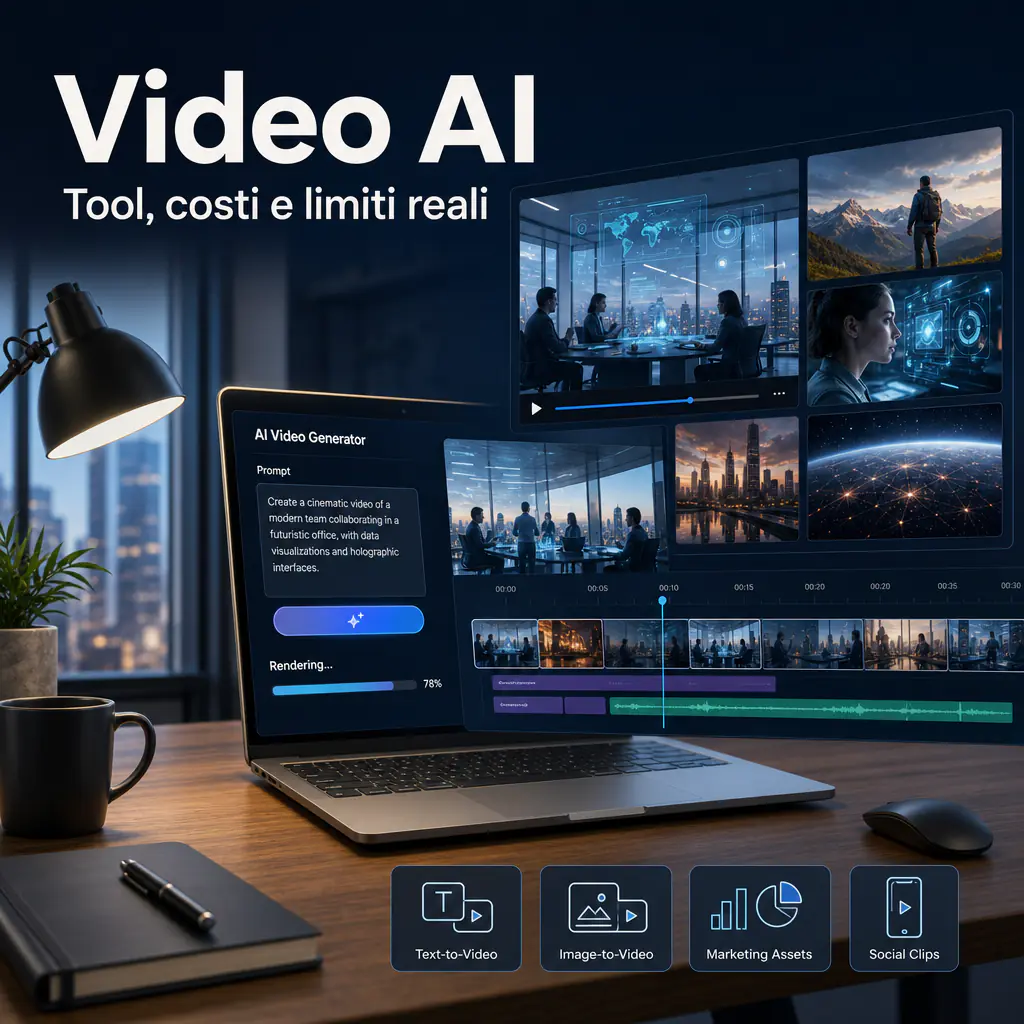
AI Video today no longer means just “writing a prompt and waiting for a curious clip.” The market has shifted toward tools capable of transforming text, images, visual references, and storyboards into usable content for marketing, e-commerce, presentations, creative prototypes, and social campaigns. Quality has grown significantly, but not all results are ready to be published without human oversight.
The practical point is to understand what can actually be created, which tools are worth trying, and where the limits still lie. Behind a video, there is more than just aesthetics and technology. There are costs, usage rights, rendering times, message consistency, editorial review, and brand impact.
In recent months, the sector has become more mature. Models like Google Veo, Runway Gen-4, Adobe Firefly Video, Kling, and other text-to-video systems have raised the bar on realism, scene control, and visual continuity. OpenAI has also worked on Sora and video generation from natural language, with increasing attention to security, content provenance, and traceability. This doesn’t make AI video generators magic tools, but it makes them much more interesting for companies and creators who want to produce visual assets faster.
AI Video: What it Means and What it Allows Today
AI video refers to the creation or modification of video content using generative artificial intelligence models. In practice, the user provides an input and the system produces a video sequence. The input can be a text prompt, an image, a short clip, an audio track, or a combination of these elements.
The important point is that the video is not “edited” in the traditional sense. The model interprets the request and generates frames that are coherent over time. For this reason, the result depends heavily on the quality of the prompt, the model used, and the set constraints: duration, style, aspect ratio, camera movement, characters, background, lighting, and visual tone.
Today, AI videos work best for short content. They are useful for visualizing ideas, creating quick variants, producing concepts, testing creative angles for ads, or generating social clips. They become more delicate when long narrative continuity, technical precision, very rigid brand identity, or scenes with many details to keep identical are required.
From Prompt Generation to Image and Text Transformation
The most well-known case is text-to-video AI: you write a description and the system generates a clip. A prompt can indicate subject, environment, action, style, and movement. For example: a product demo in a realistic style, an abstract scene for a campaign, a visual mockup for a landing page, or a short animation to explain a service.
In more advanced tools, however, the prompt is not the only starting point. Many software programs allow the use of images as references. This is useful when you want to maintain a product, a character, a shot, or a pre-defined aesthetic. Some models also allow starting from storyboards or initial and final frames, allowing for better control of the scene’s direction.
According to the official documentation of Google Vertex AI, Veo can generate videos starting from text prompts or images. Runway, in the presentation of Gen-4, instead focuses on the consistency of characters, objects, and environments across different scenes. These are clear signals: the sector is moving beyond the single random video and aiming for more controllable workflows.
Differences Between Short Clips, Marketing Assets, and Visual Prototypes
Not all AI-generated videos have the same purpose. A short clip for TikTok, Reels, or YouTube Shorts can tolerate a greater margin of experimentation. A paid campaign asset, however, must be more stable: clear message, correct format, no obvious errors, verified commercial license, and consistency with the destination page.
Visual prototypes are another interesting case. A marketing team can use an AI video generator to transform an idea into a visual draft before investing in filming, motion design, or actual production. In this scenario, the value is not in having the final video immediately, but in reducing the time between idea and evaluation.
For a B2B company, the most sensible cases are often these:
- quickly visualizing a campaign before producing it traditionally;
- creating creative variants for social or display ads;
- producing short demo clips for landing pages and presentations;
- generating abstract or contextual b-roll for video content;
- testing messages, hooks, and narrative angles before scaling content.
How AI-Based Video Generators Work
AI video generators use models trained on large amounts of visual and, in some cases, audio data. When they receive a prompt, they try to predict a coherent sequence of frames. In more advanced systems, the model also takes into account physics, movement, depth, lighting, the relationship between subjects, and temporal continuity.
The final result is not always deterministic. Two generations with the same prompt can produce different clips, especially if the tool does not allow locking seeds, references, or advanced parameters. This is one of the reasons why AI videos are powerful in the creative phase but still require control when entering business processes.
Quality depends on several factors: model, video length, scene complexity, audio requirements, presence of faces, on-screen text, hands, technical objects, and camera movements. The vaguer the prompt, the more the model fills in the gaps autonomously. Sometimes this produces interesting results. Other times, it produces errors that are difficult to correct.
When to Use AI Video for Quick Content and Creative Tests
AI videos are very useful when the goal is to test, not when a perfect production is needed immediately. For example, an agency can generate three versions of a concept to understand which communication direction works best. An e-commerce store can create a product video draft starting from static images. A consultant can visualize a complex process with an abstract clip to insert into a presentation.
The advantage is speed. Instead of immediately starting a full process with shooting, editing, motion graphics, and revisions, you can create a first version in a few minutes or hours. This reduces the cost of error. If the idea doesn’t work, you discard it early. If it does, you can improve it with professional tools or use it as a basis for a more solid production.
For advertising content, it is advisable to use AI video generation as part of a workflow, not as the only step. Prompting, generation, selection, editing, legal check, format adaptation, and final review remain distinct phases.
Role of AI Video Models in Result Quality
AI video models are not all the same. Some focus on cinematic realism, others on speed, others on generation from images, and others on creative functions and VFX. This difference significantly impacts the choice of tool.
Google Veo 3, for example, is presented as a model oriented toward high-quality video generation with audio and speech. Adobe Firefly Video Model is instead positioned by Adobe as a solution designed for safer commercial use, integrated into its creative ecosystem. Runway Gen-4 focuses heavily on visual world consistency, meaning the ability to keep subjects, environments, and objects recognizable across different scenes.
To choose well, it’s not enough to ask “which is the best model?” The more useful question is: best for what use? A model excellent for cinematic clips might be less convenient for generating quick ad variants. A very simple tool for social videos might not be enough for a team that needs to maintain brand consistency, visual references, and approval workflows.
AI Video Generator and AI Video Creator: Practical Differences
In common language, AI video generator and AI video creator are often used as synonyms. In reality, they indicate different user experiences. An AI video generator is usually centered on clip generation: you enter a prompt or an image, set some parameters, and get a video. An AI video creator, on the other hand, tends to include editing tools, templates, voiceovers, subtitles, scenes, avatars, or functions to publish the content.
The distinction is important because many companies don’t just need to “generate a video.” They need to produce complete content, with a clear message, correct format, possible voiceover, call to action, subtitles, and adaptations for multiple channels.
Therefore, the choice of tool should start from the actual workflow. If you need to create visual concepts, a pure generator may be sufficient. If you need to produce recurring videos for marketing, training, or social media, a creator with integrated editorial functions may be more useful.
When to Choose an AI Video Generator to Start from a Prompt
An AI video generator is the right choice when you want to explore visual ideas quickly. It is useful during brainstorming, prototyping, dynamic moodboards, and creative tests. You can describe a scene and get a clip that conveys the idea much better than text or a static image.
This approach is particularly valid for:
- advertising concepts;
- product settings;
- short emotional scenes;
- b-roll for corporate videos;
- clips to use as a base for subsequent editing;
- style tests before a more expensive production.
The limit is that fine control often remains partial. If you want a precise shot, a perfectly recognizable product, or a movement identical to what you imagined, you might have to generate many variants. This is where costs and time come in: every attempt consumes credits, rendering time, and team attention.
When to Prefer an AI Video Creator for Guided Workflows
An AI video creator is more suitable when the goal is to publish content with some regularity. In these cases, functions beyond generation are needed: preset scenes, editing, brand kits, subtitles, audio management, templates, exports in multiple formats, and collaboration between team members.
For a B2B company, this can make a difference. A video for LinkedIn, an internal demo, a training pill, or content for a newsletter doesn’t always require cinematic realism. Often, it requires clarity, speed, and consistency with the commercial message.
A guided creator reduces the risk of wasting time in infinite trials. It offers a simpler structure, especially for marketing teams that don’t want to start from scratch every time. The downside is that it can be less flexible than more advanced tools oriented toward pure generation.
AI Video Software: Criteria for Choosing a Reliable Tool
Choosing an AI video generator just by looking at demos is risky. Demos often show the best results, selected after many attempts. In daily practice, stability, costs, times, licenses, ease of revision, and the possibility of integrating the software into the work process also matter.
Good AI video software should be evaluated with a concrete test. Trying a generic prompt is not enough. It’s better to use a real case: a product, a service, a campaign, or content that the company could actually publish. Only then do practical limits emerge.
The questions to ask are simple:
- is the result consistent with the brand?
- how many attempts are needed to get a usable clip?
- is the cost per final video sustainable?
- are the usage rights clear?
- does the quality remain good after export, compression, and publication?
- can the team use the tool without always depending on a technician?
Visual Quality, Scene Consistency, and Creative Control
Visual quality is the first thing noticed, but it’s not the only thing. A video can look good at first glance and still have problems: deformed hands, illegible text, objects that change shape, unstable faces, unnatural movements, wrong logos, or details that appear and disappear.
Consistency is even more important when the video must represent a product, a service, or a brand identity. If the subject changes appearance from one frame to another, the content loses credibility. This is why the most interesting AI video models are working on references, character consistency, scene control, and targeted editing tools.
Creative control also concerns movement. A prompt can ask for “slow forward camera” or “close-up shot,” but the result doesn’t always match the intention. In professional workflows, functions like initial frame, final frame, motion brush, camera control, negative prompts, or storyboards are useful.
Rendering Times, Costs, Credits, and Export Limits
AI video costs should not be read only as a monthly price. Many tools work with credits, generated seconds, selected quality, or rendering priority. This means the real cost depends on how many attempts are needed to reach a publishable result.
An economic plan may be enough for experimenting but become tight if many variants are needed. At the same time, an expensive plan can make sense if it reduces work hours, external agencies, or production times. The correct evaluation is on the cost per useful asset, not on the cost per single generation.
Pay attention also to export limits. Some tools limit resolution, duration, watermarks, commercial use, or the number of parallel generations. For business use, these details matter more than the initial wow effect.
| Criterion | What to Verify | Why it Matters |
|---|---|---|
| Quality | Realism, movement, detail stability | Avoids beautiful but non-credible content |
| Control | Prompt, reference, frame, camera, editing | Reduces attempts and revisions |
| Costs | Credits, generated seconds, export, plans | Determines the cost per usable video |
| Rights | Commercial license and content policy | Protects use in campaigns and public assets |
| Workflow | Templates, collaboration, formats, integrations | Makes the tool sustainable over time |
Concrete Uses for Marketing, E-commerce, and B2B Communication
AI videos are particularly interesting when they enter already clear processes. If a company doesn’t know what to communicate, the tool doesn’t solve the problem. If, however, offers, targets, channels, and messages exist, video generation can accelerate production and increase the number of creative tests.
In B2B marketing, the value often isn’t in creating spectacular videos, but in making complex services clearer. Automations, processes, software, applied AI, WordPress optimizations, or e-commerce workflows are difficult topics to explain with text alone. A short clip can help visualize the before and after, the operational flow, or the final benefit.
For example, a company offering Make.com automations can use an AI-generated clip to show the transition from a manual back office to an automated flow. There’s no need to simulate every real screen. It’s enough to make the concept visible: fewer repetitive operations, more control, fewer errors.
Clips for Social Campaigns, Ads, and Product Presentations
Social campaigns are one of the most natural fields for AI videos. Short formats require many variants, different hooks, and quick creativity. Here, AI generation can reduce the time needed to produce visual tests.
A team can create different versions of the same message:
- a more technical clip for LinkedIn;
- a more direct version for Meta Ads;
- a vertical video for Shorts or Reels;
- a visual variant for a landing page;
- a concept to use in a commercial presentation.
The point is not always to replace videomakers and designers. The point is to use AI to produce more hypotheses and arrive at the right direction sooner. When a concept works, you can decide whether to refine it with traditional editing, regenerate it in higher quality, or use it as a reference for human production.
In organic content, the logic is similar. An article, a newsletter, or a guide can be transformed into short clips to distribute the same content across multiple channels. This is especially useful when the company blog wants to increase the visibility of already published content.
Video Prototypes for Landing Pages, Funnels, and Commercial Content
A B2B landing page often has to explain a service in a few seconds. An AI-generated video can serve as a prototype to understand if a visualization works: problem, transformation, result, context of use. It doesn’t always have to become the final video.
For example, for a page dedicated to WooCommerce optimization, a clip can show orders, warehouse, email, and reports connecting in a single flow. For a page on AI in business processes, it can show tickets, CRM, documents, and notifications being managed with less manual intervention.
In e-commerce, AI videos can help create product settings, micro-stories, and seasonal variants. However, attention must be paid to product fidelity. If the model modifies shape, color, or details, the content can become misleading. In these cases, it’s better to use real product images as references and check every output before publication.
AI Video: Limits, Usage Rights, and Risks to Evaluate
Talking about free AI video is useful, but it must be done with realism. Free plans serve to try the tools, understand the interface, and test a few ideas. They are rarely enough for a stable business workflow, especially if high quality, watermark-free export, commercial use, and many variants are needed.
Limits are not just economic. There are technical, legal, and reputational limits. Models can generate visual errors, misrepresent people or products, create ambiguous scenes, or produce content too similar to recognizable styles. Furthermore, policies change from platform to platform.
Adobe, in official communication on Firefly Video Model, insists heavily on commercial positioning and safety of use for brands and professionals. OpenAI, in pages dedicated to Sora, has communicated measures related to security, provenance, and content traceability. These are aspects to consider, not secondary details.
Licenses, Generated Content, and Commercial Use of Assets
Before using a video in a campaign, one must read the tool’s terms. Some platforms allow commercial use only on certain plans. Others apply limits on sensitive content, recognizable people, brands, characters, music, voice, or copyright-protected material.
For a company, the practical rule is simple: no AI-generated asset should enter ads, websites, funnels, or commercial materials without a license check. This is even more true if the video contains faces, logos, products, performance claims, or references to third parties.
The issue of rights is not just “can I use it?” It’s also “can I prove where it comes from?” This is why watermarks, metadata, platform policies, and content credentials systems are becoming important. They don’t eliminate all risks, but they help better manage content provenance.
Visual Errors, Uncontrollable Prompts, and Human Review
AI video models have improved, but they are not infallible. The most common errors concern hands, eyes, text, technical objects, continuity between frames, physical movements, and details that change during the clip. Even generated audio may not always be consistent with the scene or the desired tone.
For this reason, human review remains mandatory. A serious workflow should include at least four checks:
- visual check frame by frame at critical points;
- verification of the message and claims;
- check of usage rights;
- final adaptation for channel, format, and audience.
Prompt engineering helps, but doesn’t solve everything. Clearer prompts produce more stable results, especially when they include subject, context, action, style, duration, camera, lighting, and negative constraints. However, each model interprets instructions differently. An effective prompt on one tool may work poorly on another.
How to Build an Effective Workflow with AI Videos
An effective workflow starts with a concrete goal. Before opening AI video software, it’s advisable to decide what the clip should do: attract attention, explain a problem, show a process, visualize a product, create atmosphere, or support a sale.
The second step is to define the necessary level of fidelity. If the video serves as an internal concept, you can accept more imperfections. If it goes into a public campaign, stricter controls are needed. If it represents a real product, precision becomes even more important.
A practical sequence could be this:
- define goal and audience;
- write a mini-brief of the scene;
- create 3-5 alternative prompts;
- generate short variants;
- select the best direction;
- refine prompt, reference, and format;
- edit, subtitle, and compress;
- verify licenses, quality, and brand consistency.
This approach avoids the most common error: continuing to generate clips without a direction. Infinite generation consumes time and credits. A clear process instead transforms AI videos into an operational tool.
Prompts, References, and Storyboards for More Controllable Results
A good prompt for AI video should be concrete. Writing “create a modern video about a digital service” is not enough. It’s better to indicate scene, subject, movement, style, and expected result. For example: “modern office, entrepreneur observing a dashboard with automated orders and notifications, slow forward camera, natural light, realistic style, vertical format.”
When possible, it’s advisable to use visual references. An initial image can help maintain style, colors, or composition. A storyboard, even a simple one, helps divide the idea into scenes. This is particularly useful when you want to create content linked to an article or a landing page.
In text-to-video AI, prompt precision significantly impacts the result, but it shouldn’t become a long and confused text. Better to use ordered sentences, useful details, and clear constraints. If the tool allows, also use negative prompts to avoid unwanted elements.
From Creative Test to Publication on the Right Channels
After generation, the video should be treated as a raw or semi-finished asset. It may be necessary to trim the beginning, add subtitles, insert a CTA, correct color, compress the file, or adapt the format. A vertical video for social media doesn’t automatically work on a web page, and a horizontal clip from a presentation isn’t ideal for Reels.
For business content, editing remains an important phase. Even a very well-generated clip may need rhythm, text, logo, voiceover, or music. AI tools accelerate production, but final quality still depends on editorial direction.
A good practice is to create internal libraries of prompts, references, and approved outputs. This way, the team doesn’t start from zero every time. They can reuse already tested structures and progressively improve the process.
How to Evaluate AI Video Models Without Being Guided by Demos
AI video models must be evaluated methodically. Public demos serve to understand potential but aren’t enough to choose a tool. Every company should create a small internal benchmark with real use cases.
A simple benchmark can include three prompts: one for a realistic scene, one for a product clip, and one for abstract or corporate content. For each tool, measure the number of attempts, average quality, recurring errors, generation time, estimated cost, and ease of revision.
This evaluation is more useful than any generic ranking. A tool can be great for independent creators and poorly suited for a B2B team. Another may seem less spectacular but offer licenses, integrations, and controls more suitable for commercial use.
Practical Indicators to Measure in Tests
During tests, it’s advisable to observe concrete elements. The question isn’t just “is the video beautiful?” The question is “can we actually use it?”
- Consistency: do subjects, objects, and environments remain stable?
- Control: is the prompt respected or too reinterpreted?
- Speed: how much time is needed to get useful variants?
- Cost: how many credits are needed for a publishable output?
- License: is commercial use clear?
- Editing: can a part be corrected without regenerating everything?
- Formats: does it support vertical, square, and horizontal?
These indicators help choose rationally. In a business context, the best software isn’t always the one that produces the single most impressive video. It’s the one that produces good enough results, repeatably, with controllable costs and risks.
When to Integrate AI Video into a Content Strategy
AI videos work best when they support an existing strategy. If a company publishes articles, guides, case studies, and social content, it can use video generation to multiply formats. An article can become a LinkedIn clip. A guide can become a short explainer. A case study can become a visual sequence on the problem and the result.
This logic is useful because it links organic search, social, email marketing, and advertising. The video doesn’t remain an isolated piece of content. It becomes part of a multichannel system, where each asset reinforces the others.
The opposite risk is producing videos just because the tool is new. In that case, disconnected content is created, difficult to measure, and little useful for sales. The correct question always remains the same: does this video help the user understand better, trust more, or take a next step?
Tools and Scenarios: How to Navigate Without a Superficial List
The AI video tool market changes rapidly. For this reason, a static list of tools risks becoming outdated quickly. It’s more useful to think in categories.
There are tools oriented toward pure generation, suitable for concepts and visual scenes. There are platforms closer to editing, useful for creators and marketing teams. There are solutions integrated into professional ecosystems, like Adobe. There are models available via API or cloud, more interesting for companies that want to integrate video generation into internal workflows.
The choice also depends on the team’s skills. A marketing department without video skills can get more value from guided tools. An advanced creative team may prefer platforms with more control and fewer templates. A company with technical processes can evaluate APIs, automations, and on-demand generation.
Tools to Experiment, Produce, or Integrate into Processes
To experiment, it makes sense to start with accessible tools, with a simple interface and trial credits. The goal is to understand what can be achieved and which prompts work. In this phase, it’s not worth seeking perfection.
To produce recurring content, stability, templates, format management, and predictable costs are instead needed. Here, AI video software must enter an editorial calendar, not remain a creative toy.
To integrate generation into business processes, the conversation changes again. APIs, data control, clear policies, cost monitoring, and governance are needed. This scenario is closer to technical teams, structured agencies, or companies that want to generate content scalably.
Why the Best Choice Depends on the Use Case
There is no single best tool for everyone. An e-commerce brand might prioritize product fidelity. A software house might look for clear explainers. An agency might want to generate quick concepts for different clients. A creator might prefer dynamic effects and ease of publication.
For this reason, it’s advisable to start from a simple matrix: goal, channel, required quality, budget, production frequency, and acceptable risk. Only then does it make sense to compare tools.
Mature use of AI videos doesn’t eliminate strategic work. It makes it faster. The difference is made by briefs, prompts, review, editing, and the ability to link each video to a measurable goal.