
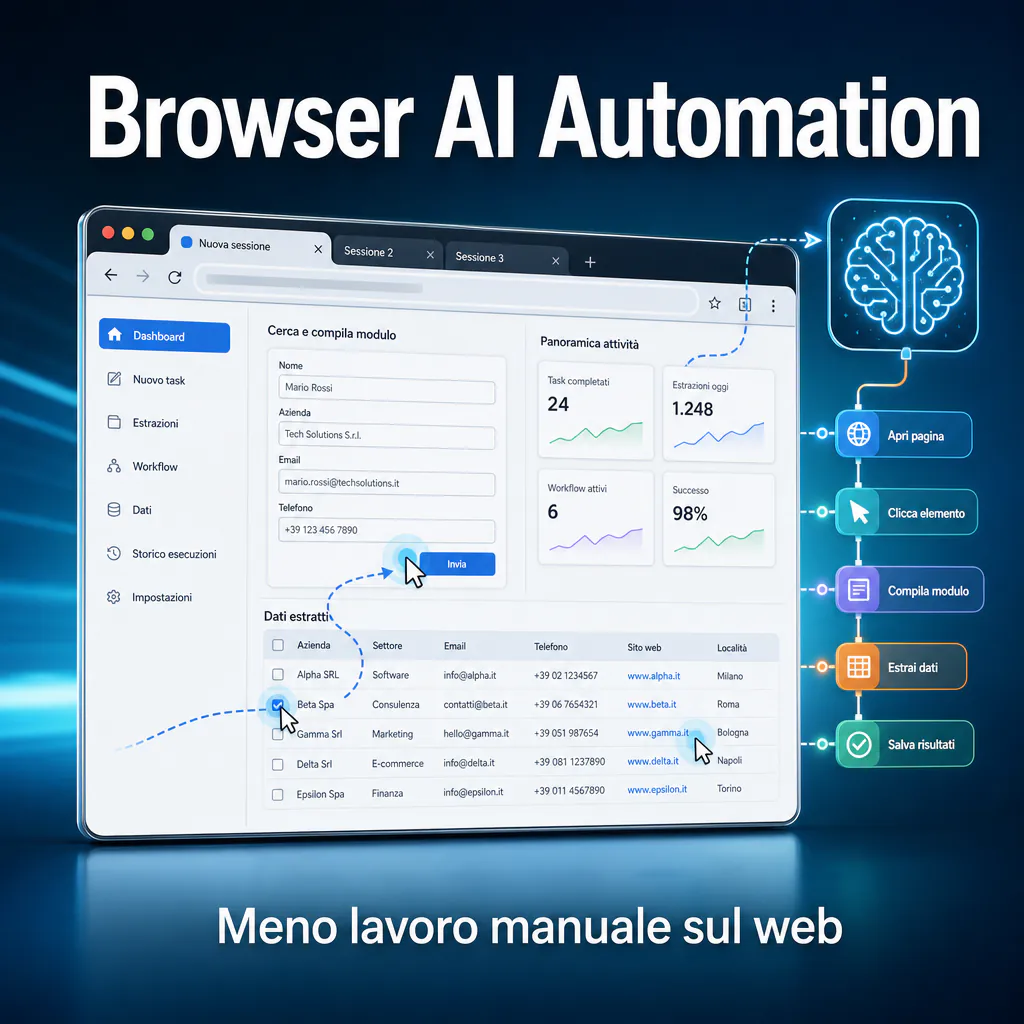
Browser AI automation allows for the automation of activities that currently require clicks, copy-pasting, manual checks, and repetitive steps within websites, management software, and online dashboards. This topic is closely related to browser AI tools, but with a more operational focus: it’s not just about browsing better, but about transforming the browser into an execution point for business processes, data collection, form filling, and recurring checks.
For a B2B company, the point is not to have an AI agent that clicks on behalf of the team in a spectacular way. The point is to understand which web activities can be made faster, which should be automated with APIs, and which instead require human control. This distinction is fundamental because the browser is powerful but also fragile: interfaces change, sessions expire, pop-ups, captchas, and anti-bot limits appear.
In this article, we see what browser AI automation really means, which tools are most used, where Playwright, Puppeteer, Stagehand, Browserbase, MCP, and AI agents come into play, and how to design reliable workflows without exposing credentials, sensitive data, or critical processes.
Browser AI automation: what it really means
Browser AI automation refers to the use of software tools and artificial intelligence models to control a browser, read web pages, interact with forms, click buttons, extract data, and complete operational sequences.
The ‘browser automation’ part is not new. Libraries like Playwright, Puppeteer, and Selenium have existed for years and are used for testing, scraping, monitoring, and web automations. The novelty is the integration with AI models capable of interpreting screenshots, text, HTML structures, or natural language instructions.
In practice, instead of writing only rigid code like ‘click the button with this selector’, today more flexible systems can be created, capable of understanding that a ‘Submit’, ‘Confirm’, or ‘Save changes’ button has a similar function even if its position or text changes slightly.
Difference between macros, scripts, and browser agents
Not all automations within the browser are the same. It is useful to distinguish three levels:
- Macros and simple automations: repeat a precise sequence of actions, such as opening a page, filling in two fields, and downloading a file.
- Browser automation scripts: use tools like Playwright or Puppeteer to control the browser programmatically, with logic, checks, waits, and error handling.
- AI browser agents: combine the browser, a language model, task memory, and decision-making capabilities to complete less predictable activities.
Macros are easy to start but break as soon as something changes. Scripts are more stable but require development. Browser agents are more flexible but must be designed with clear limits, as they can make wrong decisions if the page is ambiguous or contains malicious instructions.
What can be automated on web pages, forms, and dashboards
Browser automation with AI is particularly useful when a process moves through web interfaces where no direct integration exists. Some practical examples:
- checking the status of orders, tickets, or files on external portals every morning;
- downloading reports from dashboards that do not offer simple APIs;
- filling out repetitive forms using already validated data;
- reading product pages or customer profiles and transforming them into structured data;
- monitoring prices, availability, errors, or changes on public pages;
- performing QA checks on WordPress, WooCommerce sites, or landing pages.
The value is not in the single click saved, but in the continuity of the process. If an operation takes 20 minutes a day and always involves the same steps, it can become a good candidate for automation. If, however, it requires commercial judgment, exception management, and delicate approvals, AI should assist, not decide on its own.
Browser AI automation for B2B business processes
Browser AI automation makes sense when linked to a clear operational result: less time wasted, fewer manual errors, more up-to-date data, and more traceable processes. In the B2B sector, this mainly concerns administration, sales, e-commerce, customer care, marketing operations, and quality control.
The browser often remains the ‘dirtiest’ point of digital processes. Companies use CRMs, ERPs, supplier portals, marketplaces, advertising tools, vertical management software, databases, and SaaS platforms that do not always communicate well with each other. When an API is missing or the integration is too expensive, the browser becomes the only accessible point.
Data entry, recurring checks, and online reports
The most suitable activities are repetitive ones, based on rules and with clear inputs. For example, a team can automate the retrieval of reports from advertising platforms, the updating of data in a management system, or the checking of anomalies in orders and shipments.
In these cases, the AI should not invent the process. It must follow a defined procedure, read page elements, recognize any variations, and signal when something is wrong. A good system does not force completion at all costs: it stops when it encounters missing data, a page different from expected, or a risky action.
This logic is very different from the idea of a completely autonomous agent. In most business projects, the best approach is a guided workflow: automation where the process is standard, human intervention where responsibility is needed.
Browser AI for business processes without native integrations
A browser AI for business processes becomes useful when the software to be controlled does not offer APIs, convenient exports, or webhooks. This often happens with outdated management software, industry portals, reserved areas, supplier back-offices, or inflexible vertical tools.
In these cases, automation can act as a temporary bridge. For example: enter the portal, download a CSV, normalize the data, send it to Google Sheets, Notion, Airtable, a CRM, or a Make.com scenario. Then a more stable automation system can continue the work via API.
This is where entities like Astra-Pilot can create concrete value: not by selling generic AI, but by designing mixed flows where browser automation, Make.com, APIs, webhooks, and human control are combined pragmatically.
Browser AI automation: tools and possible architectures
To build a good browser AI automation, you must choose the right tool based on the process. There is no single solution. A technical check on a public page requires different tools than a workflow with login, sensitive data, and approvals.
The most cited tools today fall into a few families: automation libraries, AI frameworks for browsers, managed remote browsers, agents via MCP, and more traditional RPA solutions.
Browser automation with AI: Playwright, Puppeteer, and intelligent agents
Playwright is one of the most solid tools for controlling modern browsers like Chromium, Firefox, and WebKit. It is often used for end-to-end tests, controlled scraping, and robust automations. The official documentation emphasizes the use of locators, which help identify page elements with more reliable waiting and retry mechanisms than fragile selectors.
Puppeteer, born in the Chrome ecosystem, remains widely used when the focus is Chromium and control via the DevTools Protocol. Selenium is still common in enterprise contexts, especially where test suites and infrastructures are already in place.
The AI part can be layered on top of these tools. For example, a model can decide which field to fill, interpret an error, read an unstructured table, or choose the next step. But the executive part should remain as deterministic as possible: clicks, waits, checks, fallbacks, and logging must be well-designed.
In other words, AI is useful for interpreting and adapting. Code remains fundamental to make the process repeatable.
AI browser automation GitHub: what to evaluate before using an open-source project
Searching for ai browser automation GitHub reveals many open-source projects based on Playwright, Puppeteer, browser-use, MCP servers, visual agents, and computer use tools. Some are great for prototypes; others are more experimental.
Before adopting them in a business process, it is advisable to evaluate several aspects:
- update frequency and quality of documentation;
- management of sessions, cookies, logins, and secrets;
- support for local or remote browsers;
- possibility of limiting the agent’s actions;
- logging of activities performed;
- error and retry management;
- license and compatibility with commercial use;
- external dependencies and supply chain risk.
A repository with many stars is not enough. For a company, the right question is: can this tool be controlled, monitored, and secured? If the answer is uncertain, it should only be used in a test environment or for low-risk activities.
In the current landscape, frameworks like Browserbase’s Stagehand are also growing, designed to combine Playwright automation with more readable AI instructions. They are interesting because they try to reduce the fragility of selectors, but they do not eliminate the need to properly design security, permissions, and fallbacks.
When to automate web pages with AI and when to use APIs
A practical rule: if a stable, documented, and accessible API exists, it is almost always better to use it. Automating a browser should be a conscious choice, not the first shortcut.
APIs are faster, more traceable, and less sensitive to graphical changes. The browser, instead, simulates user behavior and therefore depends on interfaces, sessions, cookies, modals, JavaScript loads, and anti-automation controls.
APIs, webhooks, and Make.com integrations: the most stable choice
For repeatable business processes, APIs and webhooks are the most solid foundation. If a CRM, e-commerce, or management system allows reading and writing data via API, it is better to build a direct integration. Make.com, n8n, Zapier, or custom integrations can handle triggers, transformations, notifications, and updates with greater reliability.
For example, if new WooCommerce orders need to be synchronized with a management system, using the WooCommerce API is much more stable than opening the browser, entering the admin panel, and copying order data. If a lead needs to be updated in HubSpot, Salesforce, or Airtable, the API avoids visual errors and reduces time.
Browser automation comes in when a better channel is missing. It should not replace healthy integrations where they already exist.
Automating web pages with AI when practical APIs do not exist
Automating web pages with AI makes sense when the only available access is the web interface. This is frequent in public portals, legacy management software, closed marketplaces, supplier client areas, or vertical software without modern APIs.
In these cases, AI can help recognize content and page variations. For example, it can read an error message, understand that a table has changed order, extract data from a screen, or handle a step that is not identical to the previous day.
However, the design must be realistic. A reliable workflow should include:
- structured and validated inputs before execution;
- allowed actions and forbidden actions;
- checks before sending data or confirming operations;
- logs of visited pages and changes made;
- human notification when the system encounters a new case;
- separate environment for testing and production.
This approach allows taking advantage of AI without turning every automation into an operational risk.
Technical risks: login, scraping, captcha, and sensitive data
Browser AI automation should not be treated as a simple harmless script. When a system controls a browser, it can access data, sessions, accounts, and operational functions. This changes the risk profile.
The problem is not just technical. It is also legal, organizational, and security-related. An automation that reads public data has one risk. An agent that enters an administrator account, downloads customer data, or confirms orders has another.
Web sessions, credentials, and secure access management
Credentials should never be entered in prompts, unprotected files, or improvised configurations. A serious system uses secret managers, limited permissions, dedicated accounts, and accessible logs.
For business processes, it is advisable to create separate users for automations, with minimum privileges. If the workflow only needs to read reports, it should not have modification permissions. If it needs to fill out drafts, it should not be able to send or publish without approval.
Another delicate point: persistent sessions. Many tools allow reusing already authenticated cookies or browser profiles. It’s convenient, but must be handled with care. If an agent works within a session with full access to email, CRM, advertising accounts, or admin panels, an error can have real consequences.
More modern computer use and agentic browsing tools introduce mitigations like human confirmations, blocks on sensitive actions, and security policies. They are useful, but do not replace a good permissions architecture.
Anti-bot limits, captcha, ToS, and operational continuity
Captchas, rate limits, anti-bot blocks, and browser fingerprinting checks are not marginal details. They are signals that the platform wants to limit or verify automation. Bypassing them can violate terms of service or create legal problems.
For this reason, it is important to distinguish between legitimate automation of one’s own processes and aggressive scraping of third-party services. Monitoring your own site, testing a landing page, or downloading reports from a company account is different from collecting data in bulk from platforms that forbid it.
Another recent risk concerns prompt injection. Browser agents read web content and can receive hidden instructions within pages, comments, emails, or documents. If an agent can also perform actions, a malicious page could try to influence its behavior. Therefore, it is advisable to limit available actions, separate reading and writing, and require human approval for sensitive operations.
Operational continuity also requires monitoring. An automation that works today can break tomorrow because a platform changes layout, introduces a popup, or modifies a field name. Every important workflow must have alerts, periodic tests, and a clear way to understand where it got stuck.
How to design a reliable browser AI workflow
A good browser automation with AI project starts with the process, not the tool. First, the manual work is mapped, then it’s decided which steps to automate, which to integrate via API, and which to leave to the operator.
A useful map includes: inputs, systems involved, necessary credentials, data processed, frequency, known exceptions, irreversible actions, and success criteria. Only then does it make sense to choose between Playwright scripts, AI frameworks, Make.com, APIs, or an advanced browser agent.
Simple automations, assisted workflows, and advanced browser agents
There are three design models to consider.
Simple automations: ideal for stable and repetitive tasks. For example: opening a page, checking a value, downloading a file, sending a notification. Here, AI is often not needed, or only needed to interpret a text.
Assisted workflows: suitable when the automation prepares the work and the user approves. For example: collecting data from multiple sources, filling out a draft in a management system, creating a summary, and asking for confirmation before sending.
Advanced browser agents: useful when the path is not always identical. For example: navigating multiple pages, interpreting messages, searching for information, comparing results, and deciding the next step. They are powerful but require limits, sandboxes, logs, and approvals.
Those evaluating tools like browsers with AI should start with this question: is an autonomous agent really needed, or is a well-designed assisted workflow enough? In most business cases, the second option is safer and produces results sooner.
Monitoring, fallback, and integration with Astra-Pilot processes
A reliable workflow is not just a bot that works. It is a system that can be controlled. It must have logs, error screenshots, notifications, reasonable retries, and human fallback.
For example, if an automation enters a supplier portal and does not find the expected button, it should not click randomly. It must stop, save the state, notify the team, and perhaps open a task with sufficient context: URL, screenshot, error, last completed step.
This is where browser automation connects well with tools like Make.com. The browser can retrieve or enter data where APIs do not exist. Make.com can orchestrate the rest: updating sheets, CRM, email, Slack, databases, reports, and notifications. APIs can handle the more stable systems. AI can interpret texts, classify cases, and assist operators.
In an Astra-Pilot logic, the ideal project is not to put AI everywhere, but to reduce manual work where it truly weighs. A good flow can start from a process audit, move to a controlled trial on a few cases, and only then reach production with monitoring.
To choose tools, it can be useful to compare different solutions. The best AI browsers are interesting for personal activities, research, and navigation assistance. For repeatable business processes, however, more solid architectures are often needed: Playwright, APIs, Make.com, databases, separate permissions, and a control system.
Technical sources consulted
To keep the article updated, technical sources and official documentation on browser automation, browser agents, and security were considered. Among these: Playwright documentation on locators and auto-waiting mechanisms, the official Microsoft Playwright MCP repository, the official Browserbase Stagehand page, and the OpenAI guide on computer use.
Common mistakes to avoid in browser AI automation projects
Many projects fail because they start with the tool instead of the process. An agent is installed, a demo is tried, an interesting result is obtained, and it’s thought that it can be put into production immediately. In reality, a business environment requires more discipline.
Automating processes that are not yet clear
If a manual activity changes every time, automation will not magically make it orderly. First, the process must be standardized. Who does what? What data is needed? Which exceptions are acceptable? When should it stop?
Only then does it make sense to automate. Otherwise, there is a risk of creating an agent that replicates confusion, errors, and useless steps.
Using AI where a simple rule suffices
AI is useful when it needs to interpret, classify, or adapt. It is not needed to always click the same button or always read the same cell of a table. In these cases, traditional code and APIs are cheaper, faster, and more controllable.
A good architecture uses AI only at points where it adds value. The rest must remain simple.
Forgetting human control over sensitive actions
Sending emails, modifying customer data, confirming orders, publishing content, downloading personal data, or changing account settings are sensitive actions. They should not be left to an agent without controls.
The best model is often ‘human in the loop’: the automation prepares, the human approves, the system executes and records.
Concrete use cases for companies, marketing, and e-commerce
Browser AI automation is particularly interesting when it touches operational activities that drain time every week. There is no need to look for futuristic cases. The best savings often come from boring and frequent processes.
Lead generation and data enrichment
A system can visit company sites, read contact pages, verify technologies used, collect public signals, and prepare a lead sheet. If connected to a CRM or a worksheet, it can help the sales team focus on the most promising prospects.
Here, privacy, site terms, and collection limits must be respected. The goal is not to scrape data indiscriminately, but to reduce manual work on legitimately accessible information useful for commercial qualification.
Quality control on WordPress and WooCommerce sites
For a WordPress or WooCommerce site, the browser can perform recurring checks: opening key pages, verifying forms, testing checkout, checking for visual errors, presence of SEO elements, perceived response times, and problems after updates.
This type of automation is very useful because it simulates real user behavior. An API can say the site responds. A browser can see if the form doesn’t send, if the cart has an error, or if a banner covers the purchase button.
Back-office, reports, and external portals
Many companies spend hours downloading reports from different platforms, renaming files, uploading them to shared folders, and updating sheets. Part of this work can be automated with browsers, AI, and integrations.
For example, the browser downloads the report from a portal without an API, Make.com archives it, a parser normalizes it, and an AI model generates a summary for the team. The result is not just time saved: it is also greater data timeliness.
How to evaluate if a process is suitable for browser AI automation
Before developing an automation, it is advisable to assign a score to the process. A complex model is not needed. A few practical questions are enough.
| Criterion | Question to ask | Positive signal |
|---|---|---|
| Frequency | How often is the activity performed? | Every day or several times a week |
| Repeatability | Are the steps almost always the same? | Clear and documentable sequence |
| Value | How much time or risk does it reduce? | Measurable savings or fewer critical errors |
| Access | Does an API exist? | No, or incomplete API |
| Risk | Does it handle sensitive data or irreversible actions? | Low risk or human approval possible |
If a process is frequent, repeatable, costly, and without practical APIs, it is a good candidate. If instead it is rare, ambiguous, and full of delicate decisions, it’s better to start with an assistant that prepares information, not an agent that acts autonomously.
When to start with a prototype
A prototype makes sense when it can be tested on limited data, non-critical accounts, and controlled cases. The goal is not to demonstrate that the AI can do it, but to measure how stable the flow is.
A good test should verify execution times, errors, edge cases, login management, impact on real users, and the quality of the produced data.
When to avoid browser automation
It’s better to avoid browser automation when the service clearly forbids automation, when highly sensitive data is involved without adequate security measures, when the interface changes often, or when an official API already solves the problem more cleanly.
It should also be avoided when the process has not been validated. Automating a useless activity only means doing it faster.
The role of advanced browser agents
Advanced browser agents represent the most interesting and delicate part of the sector. They can read a screen, reason about a goal, choose actions, and complete multi-step tasks. This makes them suitable for research, assisted filling, data collection, and navigation of complex systems.
A browser AI agent can be useful when the path is not completely predictable. For example, searching for information in a portal, comparing multiple pages, interpreting messages, and preparing a structured output.
Why agents must not have total freedom
An agent with too much freedom is difficult to control. If it can visit any site, read any data, and perform any action, it becomes a risk. In serious projects, the agent must have a perimeter: allowed domains, allowed actions, accessible data, time limits, budget, and stop conditions.
This is even more true for workflows with logged-in accounts. The convenience of an agent working within already open sessions must be balanced with dedicated profiles, reduced permissions, and approvals.
Why the future will be hybrid
The future of browser AI automation will not be just autonomous agents. It will be hybrid: APIs where possible, browser automations where necessary, AI to interpret, human operators to approve, and orchestration systems to hold everything together.
This is also the most concrete direction for Italian companies that want to reduce manual work without introducing unmanageable complexity. The technology is ready for many use cases, but the competitive advantage comes from process design, not from the most flashy demo.