
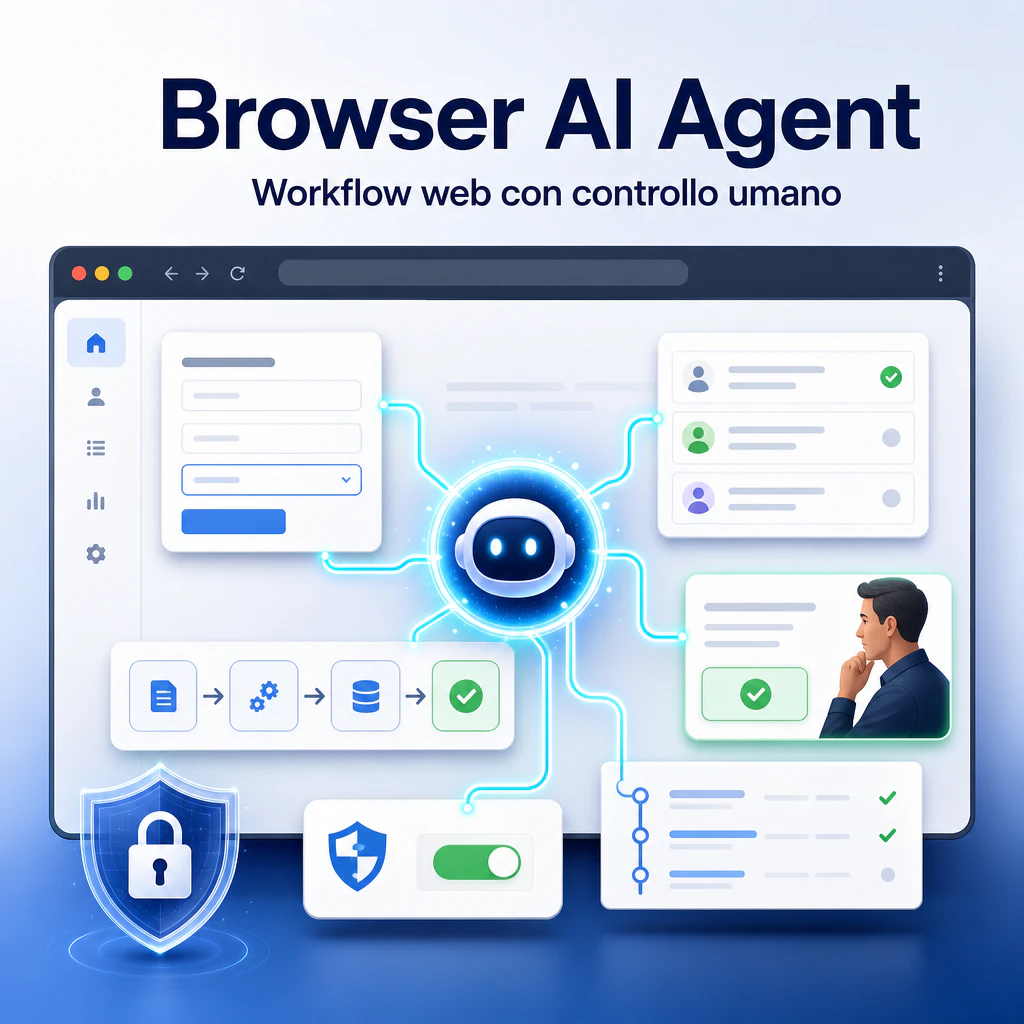
A browser AI agent is a system that uses artificial intelligence to assist or perform activities within a browser: reading pages, following instructions, filling out forms, collecting data, and guiding web workflows. It should not be confused with a simple browser AI, because here the point is not just asking questions to the browser, but allowing the software to observe a page, interpret it, and propose or perform controlled actions.
In recent years, this topic has become much more concrete. Agents with integrated browsers, computer-use functions, AI extensions for navigation, and browser-based automations show a clear direction: AI doesn’t stay confined to a chat but can interact with real web interfaces. This opens up useful scenarios for companies, but also significant risks regarding security, data, authorizations, and human control.
Browser AI agent: what they are and why they are changing navigation
A browser AI agent is a software agent that works inside or through a browser. It can analyze what appears on the screen, understand elements such as buttons, fields, menus, and tables, and decide the next step based on a goal given by the user.
The difference compared to a normal AI assistant is operational. An assistant answers. An agent tries to perform a sequence of actions. In the browser, this means moving from one page to another, searching for information, comparing data, completing procedures, or preparing repetitive tasks.
Difference between AI assistant, AI agent, and browser automation
An AI assistant is useful when reasoning, writing, summarizing, or explaining is needed. For example, it can help understand a technical page, create an email draft, or summarize a report.
An AI agent adds another layer: it receives a goal and tries to break it down into steps. It can decide what to do first, what to check, when to stop, and when to ask for confirmation. In a web context, this becomes particularly interesting because many business activities still live within browser interfaces.
Browser automation, on the other hand, is more rigid. Scripts, macros, or end-to-end tests follow pre-defined rules. They are very effective when the process is stable, but they suffer when a page, a label, or a sequence changes.
The value of a browser AI agent lies in the middle: it can be more flexible than a script, but it must remain more controlled than total autonomy.
How an AI browser agent interprets pages, forms, and web actions
An AI browser agent can work in different ways. Some systems read screenshots and use virtual mouse and keyboard. Others receive a structured representation of the page, similar to what a browser or an automation tool can see behind the interface.
In both cases, the agent tries to understand which elements are relevant. An email field, a continue button, a price table, or a search filter become parts of an operational path.
This approach is useful when a company has to manage tools that do not have convenient APIs, mature integrations, or clean exports. The browser becomes the common interface. However, it is also the most fragile point: a page can contain ambiguous elements, banners, modals, hidden messages, or unreliable content.
Browser AI agents in companies: realistic use cases
The healthiest way to evaluate these tools is to start with concrete use cases. A browser agent should not be seen as an autonomous digital employee, but as operational support for precise, repetitive, and controllable activities.
In the B2B sector, the best cases are those where risk is low, steps are verifiable, and the output can be checked by a person before producing external effects.
Data collection, operational research, and team support
A browser AI agent can help in collecting public information: supplier lists, product pages, technical details, prices, documentation, reviews, company profiles, or data present in accessible portals.
For a marketing or sales team, this means reducing the time spent manually moving from one page to another. The agent can prepare an initial collection, highlight missing data, and organize information in a table.
The critical point is verification. If the data is used for business decisions, quotes, legal activities, or communications to customers, human control remains necessary. The agent can accelerate the work, but it must not become the sole source of truth.
Browser AI for repetitive workflows between CRM, e-commerce, and back office
Browser AI for workflows are interesting when a process moves across multiple platforms: CRM, management software, e-commerce portal, help desk, spreadsheets, and internal tools.
A practical example: reading a customer request, opening the profile in the CRM, checking the status of an order, verifying a page on the site, and preparing a response. In many cases, a person currently performs these steps manually. An agent can prepare the path, collect the data, and propose the next action.
This is where the difference with tools like Make.com comes into play. An automation platform works better when there are APIs, webhooks, and structured data. A browser agent helps when the process goes through human interfaces, closed portals, or tools without solid integrations. For this reason, the two approaches do not exclude each other: they often complement each other.
How an autonomous browser AI works without losing control
The term autonomous browser AI should be treated with caution. Total autonomy is rarely desirable in a company, especially when there are logins, customer data, payments, changes to internal systems, or external communications.
A mature implementation does not aim to leave the agent free. It aims to define a perimeter. The agent can observe, suggest, prepare, and in some cases act, but with clear limits.
Permissions, sessions, credentials, and action limits
The first issue is access. If an agent uses an authenticated session, it can see what the user sees. This means it can come into contact with personal data, company information, invoices, emails, orders, tickets, and dashboards.
For this reason, a browser AI agent should have reduced permissions. Dedicated accounts, limited roles, separate environments, and temporary access are better. Where possible, the agent should work in read-only mode or in sandbox environments.
Credentials should not be shared informally. Entering passwords in a chat or leaving sessions open without control creates a serious operational risk. A healthier model involves manual takeover for sensitive logins, explicit confirmations, and action tracking.
When human approval is needed before completing a task
Human control is needed whenever the action can have consequences that are difficult to undo. Sending emails, purchases, cancellations, database changes, publishing content, updating prices, or managing sensitive data should require confirmation.
An agent can prepare a draft, fill out a form, or go up to the final step. But before the final click, a review is needed. This approach reduces risk without eliminating the operational advantage.
The practical rule is simple: if an error costs little and is reversible, the agent can have more freedom. If an error costs money, reputation, privacy, or technical time, human approval is required.
AI agents in the browser: concrete benefits and false myths
AI agents in the browser are often described with spectacular examples: bookings, purchases, complete form filling, activities carried out on their own from start to finish. In business practice, the strongest value is less scenic but more useful: reducing manual steps, speeding up checks, and making work between different tools more fluid.
The risk is expecting an infallible assistant. An agent navigating the web can misinterpret, click the wrong element, misread information, or be influenced by content present on the page.
Where an AI browser agent reduces time and manual steps
An AI browser agent can be useful for activities such as:
- checking product pages and collecting recurring information;
- preparing reports from web dashboards;
- verifying order or ticket statuses on different portals;
- filling out drafts of internal forms;
- navigating technical documentation and summarizing operational steps;
- comparing offers, pricing plans, or features between SaaS tools.
These activities do not require extreme creativity. They require patience, precision, and the ability to move between interfaces. They are therefore good candidates for assisted use.
For example, a team working on WordPress and WooCommerce can use an agent to collect preliminary data from panels, reports, and analysis tools, while technical decisions remain with an expert person. Similarly, those managing automations can use an agent to map manual steps before transforming them into a more stable scenario.
When the topic is closer to pure operations, it makes sense to link it to browser AI automation processes, where the goal is to reduce manual work without losing traceability.
Why full autonomy on the web remains risky
Full autonomy in the browser is risky because the web is not a controlled environment. Pages change, messages can be ambiguous, pop-ups interrupt flows, and malicious content can attempt to influence the agent.
One of the most discussed risks is indirect prompt injection. In practice, a web page, an email, or a document can contain instructions designed to manipulate the agent. If the system does not clearly distinguish between content to be read and instructions to be followed, it can be led to perform unwanted actions.
This does not mean that browser agents are unusable. It means they must be treated as powerful tools, not as magic shortcuts. They need limits, policies, tests, and supervision.
Security, privacy, and governance of browser AI
Security is the most important point when talking about browser AI agents in a company. An agent that can navigate, read pages, and interact with web applications has a wide risk surface.
The browser is already one of the most exposed environments: emails, SaaS, dashboards, management software, payments, CRM, and documents often pass through it. Adding an agent means adding a decision layer that must be governed.
Risks to sensitive data, access, and unreliable pages
The main risks concern three areas: data, actions, and context.
Data includes everything the agent can see: customer names, emails, orders, invoices, internal notes, confidential documents. Even if the agent doesn’t change anything, it can expose information to external systems or use it in an unforeseen way.
Actions concern what the agent can do: click, send, modify, delete, publish. The higher the agent’s permissions, the greater the risk.
Context concerns the pages the agent interprets. An unreliable site could contain hidden instructions, manipulative text, or elements designed to confuse the model. For this reason, it is better to avoid using agents on unknown pages when sessions with sensitive data are active.
Logs, audits, roles, and policies for corporate use
Professional use requires governance. It’s not enough to install an extension or activate an AI function in the browser. It’s necessary to define what the agent can do, on which sites, with which accounts, and with which limits.
Companies should provide at least:
- dedicated accounts for AI-assisted activities;
- minimum necessary permissions;
- logs of actions performed;
- manual approval for sensitive operations;
- separate environments for testing and production;
- clear rules on personal data and confidential documents;
- internal training on prompt injection risks.
The point is not to block innovation. The point is to avoid every department using agentic tools in an uncoordinated way. So-called shadow AI becomes even more delicate when AI is not limited to generating text but can interact with real company tools.
How to choose a browser AI for B2B workflows
To choose a browser AI agent, it’s not enough to look at the most impressive demo. A demo can show an agent booking, filling, navigating, and answering. But in a company, reliability, control, security, and integration with existing processes matter.
Before adopting a tool, it’s worth asking what problem it needs to solve. Is research support needed? Is assisted filling needed? Is data extraction needed? Is coordination between multiple applications needed? Each scenario requires a different level of autonomy.
Technical criteria: integrations, controls, memory, and traceability
The most important criteria are practical:
- Human control: it must be possible to stop the agent, approve steps, and take back control of the browser.
- Granular permissions: the tool should distinguish between reading, filling, sending, and modifying.
- Traceability: every relevant action should be recorded.
- Credential management: logins and sessions must be protected.
- Compatibility: the browser agent must work with the tools actually used by the team.
- Error management: when the agent is unsure, it must stop and ask for confirmation.
It makes sense to compare several categories of tools. Some are complete browser AIs, others are extensions, others are frameworks for developers. A guide on the best AI browser can help distinguish tools designed for personal productivity, research, automation, or corporate use.
Scenarios suitable for Make.com automations, WordPress, and web processes
For a company working with Make.com, WordPress, WooCommerce, CRM, and multichannel marketing, the browser AI agent is useful especially in the linking phase between manual activities and structured automations.
A good use is mapping a process before automating it. The agent can follow the steps performed by a person, help describe them, find repetitive points, and prepare a basis for deciding whether it’s better to use APIs, Make.com, a script, or a browser-assisted procedure.
On WordPress, an agent can help check pages, collect information from plugins, verify visible settings, and prepare operational checklists. However, it should not modify themes, plugins, payments, or critical configurations without supervision.
On WooCommerce, it can support activities such as order checks, product sheet verification, data collection from reports, and preparation of updates. Massive changes to prices, stock, or tax settings should remain under human control.
In marketing, it can help move between advertising platforms, analytics, CRM, and editorial tools. Here too, the rule is to separate preparation and execution: the agent collects and structures, the person validates and approves.
When to use a browser agent and when to choose traditional automation
A frequent mistake is thinking that a browser AI agent is always the best choice. In reality, when a stable API, a webhook, or a reliable Make.com integration exists, traditional automation often remains safer, cheaper, and more predictable.
The browser agent is more suitable when the process goes through non-integrated interfaces, legacy tools, external portals, or exploratory activities. It is less suitable when high volumes, absolute precision, critical transactions, or daily repeated synchronizations are needed.
Stable processes: better API, Make.com, and direct integrations
If a process is repeatable and based on structured data, it’s better to automate it with robust tools. For example: when a lead arrives, save it in the CRM, send a notification, create a row in a sheet, and open a task. This is a perfect case for Make.com or similar automations.
Using a browser agent to click inside a CRM every time would be more fragile. If the interface changes, the process can break. If there are session limits, captchas, or graphic errors, the agent can get stuck.
The correct question is not “can I do it with an agent?”, but “what is the most stable way to do it?”. Often the answer is a combination: agent for analysis and unstructured activities, classic automation for repeatable execution.
Variable processes: where AI-powered browsers become useful
A browser with AI becomes useful when the process changes often or requires interpretation. For example, reading different pages, comparing documentation, navigating non-standard portals, searching for information, and preparing an operational summary.
In these cases, the agent’s flexibility is an advantage. There’s no need to program every selector or every step. Just define a goal, a perimeter, and control criteria.
Those who want to delve deeper into the topic can distinguish between browsers with AI, operational agents, and true automations. The difference significantly affects expectations: one thing is having a browser that helps read and write, another is entrusting it with actions on business processes.
Current limits of browser AI agents
Browser AI agents are improving, but they have concrete limits. They don’t always understand the interface well. They don’t always distinguish important information from secondary. They can be slow, expensive, or uncertain when facing complex pages.
Furthermore, web navigation is full of obstacles: cookie banners, logins, two-factor authentication, captchas, dynamic layouts, pop-ups, poorly translated pages, elements loaded late, and differences between desktop and mobile.
Reliability, costs, and execution times
An expert human can complete a task in a few seconds because they recognize visual patterns and context. An agent may take longer, especially if it has to observe the page, reason, and decide the next click.
This is not always a problem. If the activity is boring and repetitive, even a slower execution can make sense. But if the task must be completed in real-time, in large volumes, or with high precision, costs and benefits must be carefully evaluated.
Quality should be measured with real tests, not generic promises. Before adopting a browser AI agent in production, it’s better to try it on limited processes, with non-sensitive data, and clear metrics: time saved, errors, blocked steps, human interventions required.
Why human control remains part of the system
Human control is not a brake. It’s a component of the system. The best use cases don’t eliminate the person but move them from mechanical steps to decisions.
A team can use the agent to collect data, prepare drafts, fill in fields, and verify pages. The person checks, corrects, approves, and decides. This model is more realistic and sustainable than the idea of a completely autonomous agent.
In the B2B sector, this distinction is essential. Companies don’t need spectacular but fragile automations. They need faster, controllable, and measurable processes.
Operational scheme for introducing browser AI agents in a company
To introduce a browser AI agent without creating confusion, it’s best to start with a small process. Better to choose a frequent, low-risk activity with easily verifiable output.
A good candidate has these characteristics: requires multiple steps in the browser, doesn’t involve too sensitive data, produces a controllable result, and currently consumes manual time.
Selecting the first workflow
The first workflow should not be critical. Better to avoid payments, cancellations, massive changes, or automatic communications to customers.
Suitable examples:
- collecting public data from company pages;
- preparing a comparison table between tools;
- checking published pages and reporting anomalies;
- extracting information from web reports;
- preparing a draft response to be reviewed.
This allows observing how the agent behaves, where it makes mistakes, and how much supervision it requires.
Measuring results, errors, and operational risk
After the test, the evaluation must be concrete. It’s not enough to say the tool seems useful. You have to measure.
Minimum metrics are:
- average time saved per task;
- number of human interventions required;
- errors or wrong steps;
- actions blocked due to lack of permissions;
- quality of the final output;
- risk in case of error.
Only after this phase does it make sense to extend use to other processes. The browser AI agent must enter operations as a governed component, not as an experiment left to individual users.
The most useful perspective is to consider it an operational assistance tool. It can reduce manual work, accelerate research, and make the transition between applications more fluid. But the true value comes when it’s integrated with clear processes, correct permissions, and stable automations where they are truly needed.