
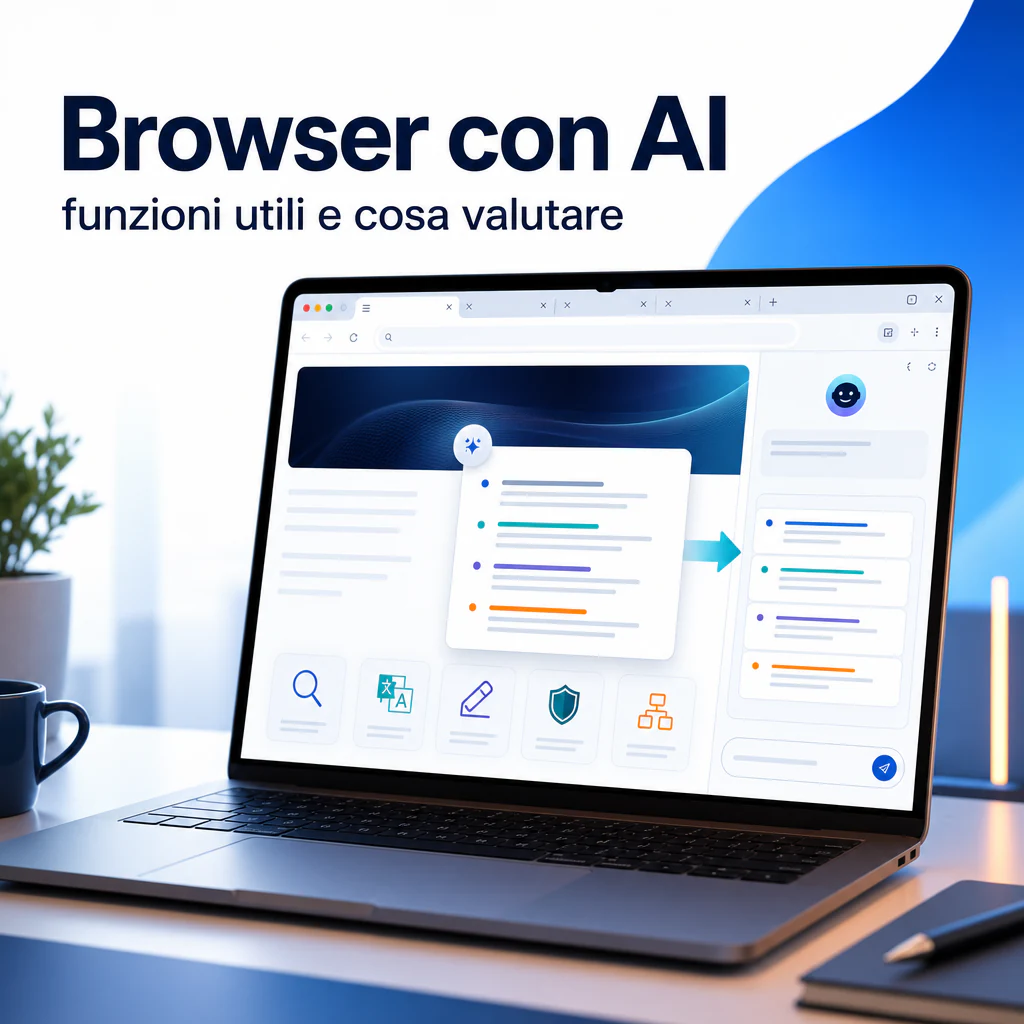
An AI browser is not simply a browser with a chat added to the sidebar. It is a tool designed to help you read, search, compare information, write texts, and perform small actions directly while you browse. The difference is most noticeable when working with many open tabs, long documents, technical pages, foreign language content, or repetitive activities.
In recent years, browsers have begun integrating increasingly visible AI assistants. Microsoft Edge uses Copilot to summarize pages, answer questions about open content, and support writing activities. Opera has integrated Aria, its AI assistant, with features for search, text generation, and page comprehension. Other tools, including AI-native browsers and sidebar assistants, focus instead on more autonomous flows, capable of following more complex operational instructions.
For a user or a company, however, the useful question is not “which is the smartest browser?”. The correct question is: which features are truly needed in daily work, what data is shared, and how much time is measurably saved?
AI Browsers: What It Really Means
An AI browser is a browser that integrates artificial intelligence functions into the browsing flow. It can do this with a chatbot, a sidebar, contextual commands on the page, writing tools, or functions that read the content of open tabs.
In practice, AI no longer lives only in a separate site like ChatGPT, Copilot, or Gemini. It enters the point where many people already work: the browser. This changes the way information is searched, articles are read, products are compared, emails are prepared, and small online tasks are managed.
An AI browser can help to:
- summarize long web pages;
- ask questions about the content of an open page;
- compare multiple sources or tabs;
- write emails, posts, descriptions, or drafts;
- translate texts and simplify complex content;
- extract key points from documents, articles, or product pages;
- support micro-tasks such as filling out forms, guided searches, or organizing information.
The important point is that not all AI browsers do the same things. Some only offer a side chat. Others read the page content. Still others can work across multiple tabs, remember a search session, or suggest contextual actions.
Difference Between Traditional Browser and AI Assistant Browser
A traditional browser allows you to visit sites, open tabs, save bookmarks, search Google, or use extensions. It is a tool for accessing the web.
An AI assistant browser adds an interpretive layer. It doesn’t just show you the page: it can help you understand it, synthesize it, compare it, and transform it into a useful output.
The difference is evident in activities such as searching for business software. With a traditional browser, you open ten tabs, manually read the features, copy notes, and compare prices. With an AI assistant browser, you can ask for a comparison between open pages, extract pros and cons, identify price differences, and prepare an initial table.
This does not eliminate human control. On the contrary, it makes it even more important. AI can make mistakes, skip details, or give more weight to outdated information. However, it reduces the mechanical work needed to reach a useful first reading.
When Integrated AI Truly Improves Browsing
AI in the browser is useful when it works close to the context. If you have to copy text from a page, paste it into an external chat, explain what you want, wait for the answer, and then return to the site, the advantage is reduced.
The benefit grows when the assistant can:
- read the page in front of you;
- understand which tab you are working on;
- help you without interrupting the flow;
- reuse the browsing context;
- produce immediately applicable outputs.
For example, a consultant can use an AI browser to analyze a competitor’s services page. An e-commerce manager can summarize reviews and product pages. A marketing team can compare sources on a topic before writing a brief. An operations department can use assisted search to document themselves on SaaS tools, integrations, and procedures.
In these cases, the browser becomes less passive. It is no longer just a window to the web, but a workspace.
Practical Features to Expect
The most useful features of an AI browser are those that save time without complicating the flow. There’s no need for a thousand commands if the user doesn’t use them. The features to check before choosing a tool are few but decisive.
The first is page comprehension. A good AI browser must allow you to ask: “summarize this page”, “explain the key points”, “find the most important data”, “extract the operational steps”.
The second is writing capability. The assistant should help create drafts, rewrite texts, shorten paragraphs, adapt the tone, and prepare quick responses.
The third is comparison. If the AI can work across multiple tabs, it becomes much more useful for evaluating tools, sources, offers, or technical documentation.
The fourth is privacy management. The more the assistant reads content, tabs, and contextual data, the more it’s necessary to understand what is sent to the provider’s servers and what controls are available.
Page Summarization to Read Faster
Page summarization is one of the most requested features because it solves a concrete problem: too much information, too little time.
A useful summary should not just compress the text. It must help you understand if the page deserves a full reading. For this reason, it’s worth evaluating whether the browser can produce structured summaries, key points, a list of main information, and warnings about content limits.
In a B2B context, this feature is useful for reading:
- technical documentation;
- long industry articles;
- SaaS software product pages;
- policies, guides, and terms of service;
- reports, white papers, and PDF content opened in the browser.
The advantage is immediate. Before spending ten minutes on a page, you can ask for a summary in thirty seconds. If the content is relevant, you read it better. If not, you move on.
This is particularly useful also for those involved in SEO, content marketing, or competitor analysis. The summary does not replace analysis, but helps in a faster initial screening.
Assisted Search, Source Comparison, and Contextual Answers
An AI browser becomes more interesting when it doesn’t just answer like a generic chatbot, but uses the browsing context. If you are reading a guide, a review, or a technical sheet, you can ask questions about the page without re-explaining everything.
For example:
- “What are the limits of this tool?”
- “Which features are relevant for a marketing team?”
- “Find the differences between this page and the other open tab.”
- “Summarize the useful points for a business decision.”
Assisted search is also useful when content is distributed across multiple sources. A well-designed AI browser can help avoid the classic chaos of too many open tabs. The result won’t always be perfect, but it can become a good basis for building a more organized evaluation.
Anyone evaluating the best AI browser to work better should look less at generic promises and more at the quality of features in the real flow: reading, comparison, writing, privacy, compatibility, and speed.
Writing, Translation, and Operational Support
Many users discover AI browsers starting with summaries, but continue using them for writing. This happens because much of the work in a browser consists of micro-texts: emails, messages, comments, descriptions, notes, customer responses, prompts, briefs, and shared documents.
An integrated AI assistant can help write without leaving the page. This is useful, for example, when preparing a response in a CRM, a product description in a CMS, a LinkedIn message, or a draft inside a project management tool.
Quality depends on three elements:
- how well the assistant understands the context;
- how much control it offers over tone and length;
- how easy it is to edit the text before using it.
The AI browser should not write on your behalf automatically and uncontrollably. It should help you produce a better first version, faster.
Generating Texts, Emails, and Drafts Directly from the Browser
Writing functions are very useful if you often work with short and repetitive texts. You can ask the assistant to transform raw notes into a clear email, make a response more professional, shorten a paragraph, or adapt a message to a more commercial tone.
A practical example: you are reading a potential supplier’s page and want to send a request for information. The AI browser can help you synthesize the main questions into an organized email. Or you are analyzing a competitor’s page and want to create an internal note for the team: the assistant can extract the most relevant points and transform them into a short memo.
This feature is particularly useful for small teams, consultants, freelancers, and companies that manage many operational activities without a dedicated department for each area.
The limit is that automatic writing often tends to produce texts that are too neutral or generic. Revision is always necessary. The value is not in publishing everything as is, but in reducing the time needed to reach a usable draft.
Translation, Explanations, and Content Adaptation
Another concrete use concerns translation and simplification. Much technical documentation is in English. Many SaaS tools have long guides, complex changelogs, and support pages that are not immediate. An AI browser can help translate and explain without switching to external tools.
The feature is useful when you need to quickly understand:
- how a feature works;
- what the integration requirements are;
- what the limits of a software plan are;
- what changes in a new version;
- what steps are needed to configure a tool.
In a business setting, this can reduce the load on technical and operational figures. An account manager, a marketer, or an e-commerce manager can have a complex page explained more simply before involving a specialist.
Attention is needed here as well. If the content is critical, legal, medical, financial, or related to cybersecurity, an AI summary is not enough. It should be used as initial support, not as a definitive source.
Browser with Integrated Chatbot: Advantages and Limits
The browser with an integrated chatbot is the most common form of AI browser. It usually appears as a sidebar or a panel accessible from the interface. The user can ask questions, request summaries, generate texts, or interact with the page content.
The advantage is convenience. You don’t have to open another site, copy and paste text, or manually describe the page. The chatbot is already where you work.
The limit is that “integrated” doesn’t always mean “contextual”. Some assistants can read the page only if the user grants permission. Others work better on textual content but less well on dynamic pages, restricted areas, dashboards, complex web apps, or content behind logins.
Before choosing a browser with an AI assistant, it’s worth understanding well what content it can see and under what conditions.
How the Chatbot Works During Browsing
A chatbot integrated into the browser can work in different ways. In some cases, it only receives the text you enter manually. In others, it can use the content of the open page. In others still, it can access the context of multiple tabs, if the feature is active and authorized.
This distinction is fundamental. If the assistant doesn’t see the page, it answers like a normal generic chat. If instead it can read the content, it becomes much more useful for summarizing, explaining, and comparing.
The most interesting functions are those that allow you to ask:
- “summarize this page into operational points”;
- “find pricing information”;
- “compare this product sheet with the other one”;
- “extract risks, advantages, and requirements”;
- “prepare a list of questions to ask the supplier”.
In more advanced browsers, the assistant can also support broader workflows. In these cases, we enter the territory of the AI browser agent, where the AI doesn’t just answer, but tries to follow a sequence of actions or organize work over multiple steps.
Errors, Incomplete Answers, and Source Control
The main risk is trusting too much. An AI browser can seem reliable even when it produces an incomplete answer. It can summarize a page poorly, miss an important section, confuse similar information, or give a plausible but unverified answer.
For this reason, it’s useful to adopt some operational rules:
- always check important steps in the original page;
- ask the assistant to indicate where it got the information;
- avoid critical decisions based only on a summary;
- do not enter sensitive data without understanding how it is handled;
- test the assistant on real cases before using it in the company.
Good use of AI in the browser doesn’t eliminate verification. It makes it faster. The assistant can act as a first filter, but the responsibility remains with the user.
Known Solutions and Real Use Cases
The AI browser market is evolving rapidly. Some traditional browsers have added AI features to existing products. Others are born with AI at the center of the experience.
Among the most well-known examples are Microsoft Edge with Copilot, Opera with Aria, Brave with Leo, Chrome with Gemini-related integrations in some markets, and newer tools like Comet, Dia, and other productivity-oriented browsers.
The important thing is not to choose based on name alone. A company should evaluate the browser relative to its own way of working. Those already using Microsoft 365 might find Edge with Copilot natural. Those looking for a lightweight solution with integrated AI can evaluate Opera. Those who work heavily on research, source comparison, and tab management can look at AI-native browsers or specialized extensions.
Opera Browser with AI and Available Tools
The Opera browser with AI is one of the clearest examples of native integration. Opera introduced Aria back in 2023 and has continued to expand AI functions in the browser. Today, the assistant is designed to help with search, writing, content generation, and page comprehension.
Opera allows the use of AI within the browsing context, with functions linked to the open page and text production. It’s an interesting solution for those who want to try a browser with an AI assistant without building a complex system or installing too many extensions.
For professional use, however, some aspects must be checked: required account, privacy settings, access to page content, compatibility with business tools, and behavior on sensitive sites. The same evaluations apply to any browser with integrated AI.
Opera is useful as an example because it shows a clear direction: the browser is no longer just a container for pages, but an environment that tries to interpret and support the user’s work.
Meta AI in the Browser: What It Can Offer Users
Those looking for Meta AI in the browser often have a different need: they don’t always want to change browsers, but want to know if they can use an AI assistant from the web while browsing.
Meta AI is available via web and within the Meta ecosystem, but it should not be confused with a full AI browser. Using Meta AI from the browser means accessing an assistant via a web page or app, not necessarily having an artificial intelligence integrated into the browser with contextual access to the open page.
The difference is practical. A web assistant can answer questions, generate texts, and help with search. An AI-integrated browser, instead, can be closer to the page you are reading, the open tabs, and the operational flow.
For many users, the best solution may be hybrid: using a stable and secure browser, adding an AI assistant when needed, and only then evaluating whether to switch to a more integrated tool.
What to Check Before Adopting an AI Browser
Before adopting an AI browser in a personal or business workflow, it’s worth doing a simple but rigorous evaluation. The goal is not to chase the novelty, but to understand if the tool truly improves productivity, quality, and security.
A good checklist should include:
- available AI functions;
- quality of summaries;
- ability to read the current page;
- possible access to multiple tabs;
- writing and translation functions;
- compatibility with business tools;
- privacy controls and data management;
- costs, free limits, and paid plans;
- browser stability;
- possibility to deactivate AI functions.
This evaluation is even more important in a company. A browser can come into contact with CRM, email, documents, dashboards, customer data, e-commerce platforms, and internal tools. If the AI assistant can read a page, it’s necessary to understand well what data is being processed.
Privacy, Accounts, Shared Data, and Settings to Verify
Privacy is the most delicate point. An AI browser can work with sensitive content: private pages, company documents, emails, conversations, customer data, or commercial information.
Before using it stably, you must verify:
- if AI is active by default or must be enabled manually;
- what page content it can read;
- if it can access multiple open tabs;
- if data is used to train models;
- which settings allow limiting sharing;
- if business plans with dedicated controls exist;
- how history, prompts, and attachments are managed.
Practical advice: do not test AI functions on home banking, health portals, dashboards with customer data, admin panels, payment systems, or restricted areas until the provider’s policies are clear.
This doesn’t mean avoiding AI browsers. It means using them with criteria. The most useful functions are often those applied to public content, documentation, informative pages, drafts, and non-sensitive searches.
Compatibility, Micro-tasks, and Impact on Productivity
Compatibility is often underestimated. An AI browser may seem great in tests but create problems if it doesn’t work well with the web apps used every day. Before adopting it, it should be tried with real tools: CMS, CRM, e-commerce platforms, Google Workspace, Microsoft 365, ticketing tools, project management, and analytics dashboards.
True value emerges when AI reduces small repeated frictions. There’s no need to imagine huge automations. Even simple micro-tasks can generate savings:
- summarizing a page before passing it to the team;
- extracting requirements from documentation;
- preparing an email draft from a supplier sheet;
- comparing two software offers;
- translating a technical guide;
- creating a checklist from an operational article;
- simplifying a complex text for a customer.
When these activities repeat dozens of times a week, the gain becomes concrete. This is where the AI browser can have a real impact on productivity.
For more structured processes, however, the browser alone is not enough. If the goal is to reduce manual work on recurring activities, it’s also necessary to evaluate automation tools, integrations, and dedicated workflows. In this scenario, it becomes useful to think about AI browser automation, i.e., using AI in the browser as support for wider operational sequences.
| Function | When it’s useful | What to check |
|---|---|---|
| Page Summary | Long articles, documentation, reports, guides | Synthesis quality and fidelity to source |
| Integrated Chatbot | Quick questions about the page or current search | Context access and data management |
| Assisted Writing | Emails, drafts, messages, descriptions, operational notes | Tone, human control, and ease of editing |
| Tab Comparison | Evaluating software, products, sources, and competitors | Multi-tab support and accuracy |
| Micro-automations | Repetitive tasks and guided searches | Assistant limits and web app compatibility |
The best choice is to start with a controlled test. Choose three frequent activities, use the AI browser for a week, and measure if time actually decreases. For example: source research, documentation summary, and email draft writing. If the advantage is clear, you can extend its use. If the benefit is marginal, it’s better to avoid changing tools just to follow a trend.
An AI browser makes sense when it enters the work without creating confusion. It must make reading faster, search more organized, and text production simpler. If instead it adds notifications, invasive panels, generic answers, and privacy doubts, the operational cost outweighs the advantage.