
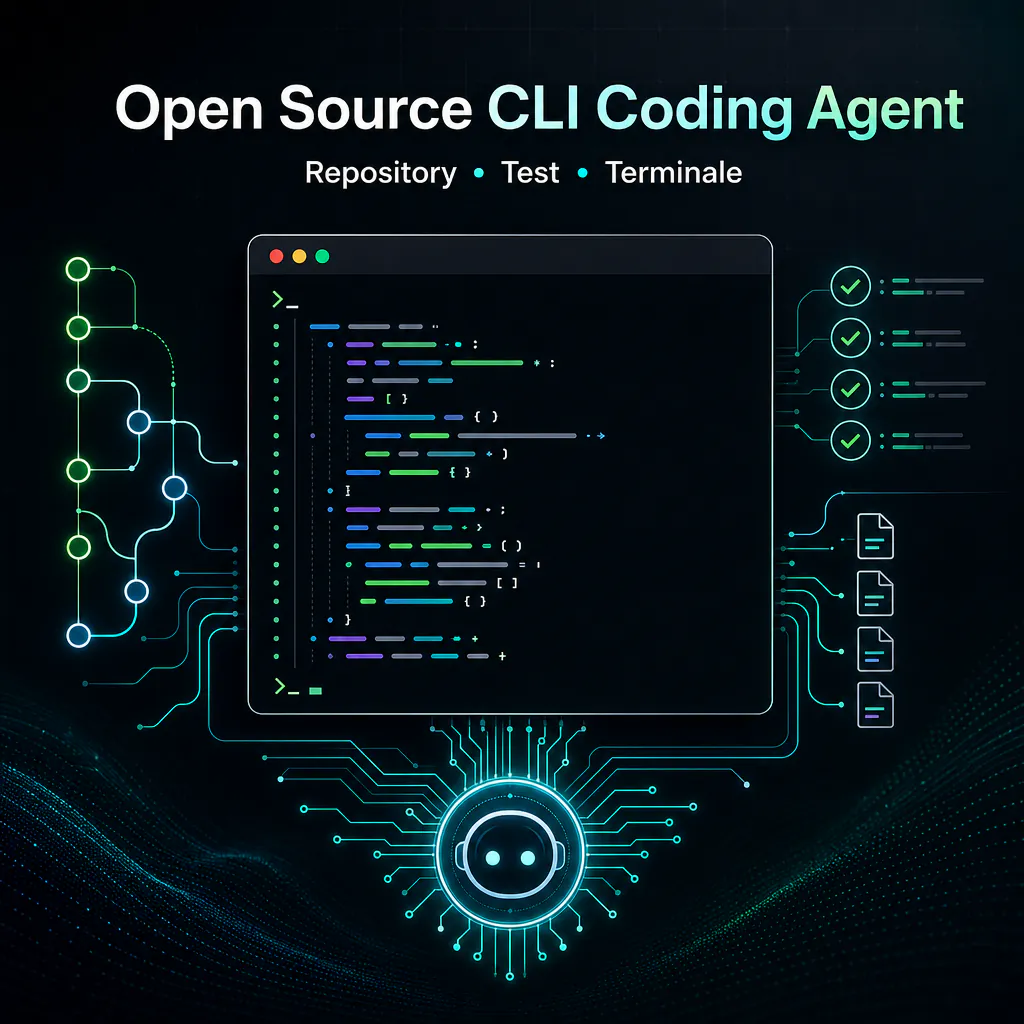
An open source cli coding agent is a development assistant that works directly from the terminal, inside a real repository. It doesn’t just suggest code: it can read files, propose changes, run tests, interpret errors, use shell commands, and help the team maintain control via Git, branches, diffs, and human review.
In recent months, these tools have become more concrete. Projects like Aider, Codex CLI, and other agents designed for the terminal show a clear direction: artificial intelligence no longer lives only inside a chat or an IDE plugin, but can operate where many developers work every day—the CLI.
For a B2B company developing automations, WordPress sites, Make.com integrations, e-commerce, or internal tools, this approach is interesting because it reduces the constant switching between editor, terminal, documentation, and tickets. The value is not in making the AI write code, but in using a controlled agent to accelerate repetitive, verifiable, and traceable activities.
What an open source cli coding agent actually does
An open source cli coding agent is software that uses a language model to assist development activities within a local or controlled environment. The CLI part is important: it means interaction happens from the terminal, close to Git, test runners, package managers, deploy scripts, and DevOps tools.
The open source part matters for a practical reason. When an agent can read code, modify files, and execute commands, the issue of trust becomes central. An open project allows at least the verification of how permissions, configurations, files, model calls, logs, and operational limits are handled.
In simple terms, this type of agent can help with activities such as:
- analyzing the structure of a repository;
- understanding where to intervene to fix a bug;
- modifying one or more files consistently;
- generating or updating tests;
- executing commands like lint, build, and test;
- reading error output and proposing a fix;
- preparing diffs that are easier to review.
The point is not to replace the developer. The point is to remove friction from tasks that require context, attention, and repetition. An agent can follow a request, apply a change, verify if tests pass, and return a result closer to a real patch than a simple text response.
Difference between code completion and operational agent
Code completion suggests snippets as you write. It’s useful, but remains tied to a single line or file. An IDE assistant can go further: it reads more context, proposes refactors, explains functions, and helps with navigation.
An operational terminal agent is different because it can act on the project. It can open files, compare implementations, launch tests, see errors, and fix them. In a well-managed workflow, it doesn’t just produce advice, but a sequence of verifiable changes.
| Tool | What it does best | Main limit |
|---|---|---|
| Code completion | Suggests lines or functions while writing | Limited context and doesn’t verify the project |
| IDE Assistant | Helps inside the editor with explanations and refactors | Often tied to the graphical environment |
| CLI Agent | Works on repositories, files, tests, and commands | Requires control over permissions, branches, and review |
Why it works better on repositories, files, and commands
Many development problems aren’t solved by looking at a single function. A bug can depend on a configuration, a migration, an obsolete test, a dependency, or different behavior between local and production environments.
A CLI coding agent makes sense precisely because it moves within the context of the repository. It can read interconnected files, understand existing conventions, respect an existing structure, and use the commands the team uses every day.
For example, if a test suite fails after an update, the agent can:
- read the test runner error;
- identify the most likely file to fix;
- verify if similar patterns exist in the project;
- apply a contained change;
- re-run the specific test;
- show the final diff for review.
This is very different from asking a chat why a test is failing by manually copying pieces of output. The CLI reduces manual work and keeps the operational flow within the team’s tools.
How a CLI coding agent works in the terminal
A CLI coding agent usually starts from a request written in natural language. The developer can ask something like adding tests for a function, finding out why the build is failing, or refactoring a module without changing the public interface.
From there, the agent builds an operational plan. In more mature tools, the plan shouldn’t be a vague promise, but a sequence of readable actions: read certain files, execute a command, modify a function, update a test, verify the result.
The terminal is the ideal environment for this type of work because many technical activities are already driven by scripts. A serious project has commands to install dependencies, start tests, check formatting, generate builds, or perform static analysis. The agent can use these as objective signals.
Context reading: files, dependencies, and project structure
Before modifying code, an agent should understand the context. This step is decisive to avoid superficial interventions. A good terminal coding agent checks the repository structure, searches for relevant files, reads configurations, and tries to follow the existing style.
In the case of a web application, it might look at routing, components, APIs, tests, and package managers. In the case of a custom WordPress project, it might analyze plugins, themes, PHP functions, hooks, assets, and configurations. In an automation system, it might check scripts, webhooks, payloads, JSON files, and internal documentation.
The quality of the output depends heavily on this: the less the agent forces generic solutions, the more it can produce changes compatible with the project.
Execution of tests, scripts, and controlled commands
The strength of an AI coding agent from the terminal lies in the ability to verify. If the tool can run tests and read output, the work becomes less theoretical. It’s not enough to say a change should work: the agent can check if at least part of the system confirms the fix.
This doesn’t eliminate the risk of error. Tests can be incomplete, the local environment can differ from production, and some commands can have side effects. For this reason, commands must be controlled, especially when they touch databases, generated files, credentials, network, or deploy.
A prudent configuration distinguishes between:
- read-only commands, such as searching files or viewing Git status;
- verification commands, such as tests, lint, and build;
- modification commands, such as formatters, generators, or migration scripts;
- risky commands, such as deploy, deletions, resets, and operations on external services.
This separation is essential in B2B environments, where an error on a client repository can cost time, trust, and budget.
Practical use cases for a terminal coding agent
An open source cli coding agent is most effective when the task is clear, verifiable, and limited. It’s not the best way to redo the entire architecture without supervision. Instead, it’s very useful for targeted interventions, maintenance, debugging, testing, and small development automations.
In an agency or technical team working across multiple clients, the advantage is evident: many repositories have similar problems but different details. The agent can adapt to the project context without forcing the developer to rebuild everything from scratch every time.
Targeted refactoring without rewriting the whole project
Refactoring is one of the most sensible use cases. An agent can help rename functions, separate duplicate logic, move utilities, update obsolete calls, or make a too-long module more readable.
However, the request must be precise. “Improve this project” is too broad. “Extract the validation logic from this controller and keep existing tests unchanged” is much more useful.
A good workflow involves small and reviewable changes. If the agent changes thirty files without a clear reason, the advantage disappears. If instead it produces a contained diff, with updated tests and readable motivation, it can save time without losing control.
Debug guided by logs, errors, and failed tests
Debugging is another strong area. Errors often contain clues, but reading them takes time. An agent can analyze stack traces, logs, test output, and involved files, then propose a probable cause.
The key point is not to stop at the first hypothesis. A useful agent must compare the error with the actual code. If a test fails for an expected value, it must understand if the correct behavior has changed or if the test has fallen behind. If a build fails due to a dependency, it must check versions, lockfiles, and configurations.
In these cases, the terminal helps because it shortens the cycle: read error, modify, re-run, compare. The developer remains responsible for the final decision but delegates part of the repetitive investigation.
Generation and updating of automatic tests
Test generation is one of the most productive cases, especially in projects where coverage is discontinuous. A cli coding assistant can read a function, search for similar tests, and propose cases consistent with the repository style.
This is useful for unit tests, light integration tests, fixtures, mocks, and edge cases. For example, it can add tests for empty inputs, invalid values, API errors, or existing but uncovered behaviors.
Careful review is still needed. AI-generated tests can confirm current behavior even when that behavior is wrong. They can also test internal details that are too fragile. The practical rule is simple: the agent can accelerate writing, but the developer must decide what is worth protecting.
Open source cli coding agent and operational security
Security is the theme that separates an interesting experiment from a tool usable in production. An open source cli coding agent can read and modify code. In some cases, it can execute commands, access the network, or use API keys. This requires clear limits.
The documentation of the most well-known tools increasingly emphasizes sandboxes, approvals, directory control, and operational modes. This is the right direction: the more capable the agent, the more it must be governed.
For a team working on corporate repositories, the question is not just how good the agent is, but also what it can do without permission.
Permissions, sandboxes, and control of risky commands
A secure configuration starts from the principle of least privilege. The agent should only access what is needed for the task. If it needs to modify a frontend module, it doesn’t need to read production secrets. If it needs to generate tests, it shouldn’t be able to execute deploys.
There are at least four areas to control:
- filesystem: which folders it can read and write;
- network: if it can make external calls or download packages;
- commands: which operations require approval;
- secrets: how keys, tokens, and environment variables are protected.
An agent that can execute any command in a shell with loaded credentials is convenient but risky. In a professional context, it’s better to use conservative modes: free reading, controlled writing, sensitive commands only upon approval.
Branches, commits, rollback, and review of changes
Git is the natural safety net for AI agents in repositories. Before using an agent, the repository should be clean or at least have known changes. Working on a dedicated branch makes it easier to understand what the agent changed and to go back.
A good process could be:
- create a branch for the task;
- ask for a limited change;
- check the diff before accepting;
- run tests and lint;
- make small and descriptive commits;
- open a pull request for human review.
Rollback should not be an afterthought. If the agent changes generated files, lockfiles, configurations, or scripts, it’s necessary to immediately understand how to undo the change. Human review remains mandatory, especially on code touching payments, personal data, client automations, or integrations with external services.
When to use a cli coding assistant instead of an IDE
An IDE often remains the best place to design, read complex code, and do daily development. A cli coding assistant becomes more useful when the work involves many files, repetitive commands, or environments where the terminal is already central.
For example, those who often work via SSH, inside containers, on staging servers, or in repositories with consolidated scripts may find it more natural to use a CLI agent than a graphical extension. The same applies to teams wanting to standardize workflows across different editors.
The CLI is also more suitable when the result must be tracked as an operational activity: test execution, file modification, command output, Git diff. In these cases, the agent works close to the tools that already measure if a change is acceptable.
Repetitive activities across multiple files and light DevOps automations
A CLI agent is useful for activities that aren’t difficult individually but become slow when repeated. Updating imports, changing names, adding checks, fixing formatting, correcting tests after a refactor: these are tasks where the value is in precision and verification.
It can also be useful for light DevOps automations, such as:
- updating a build script;
- fixing a test pipeline;
- reading a CI error and proposing a patch;
- adding missing lint checks;
- documenting internal commands in the README;
- creating scripts for repetitive local activities.
This doesn’t mean entrusting it with autonomous deploy. It means using it to reduce the time between problem, patch, and verification. Production publishing must remain within the team’s normal process.
Working on AI agents for complex repositories
AI agents for repositories that are complex must respect the project’s architecture, conventions, and limits. The more the code grows, the more important it is to give clear instructions: which folders to touch, which tests to run, which patterns to follow, which areas to avoid.
This is where instruction files, internal documentation, and written conventions come into play. An agent can work better if it finds indications on stack, commands, code style, security policy, and review criteria. Without this information, it will tend to infer. And inferences, on corporate code, are not enough.
For a B2B team, this is a practical point: before using agents on many client repositories, it’s worth standardizing READMEs, test commands, branch policies, and minimum security rules. AI works better when the process is already readable.
Real limits of AI coding agent terminals
AI coding agent terminals are not reliable autonomous developers in every scenario. They are powerful tools, but fallible. They can misinterpret context, modify too much, ignore implicit constraints, or propose a technically valid solution that is unsuitable for the business.
The risk increases when the task is ambiguous. “Fix performance” can mean a thousand things. “Reduce duplicate queries in an endpoint and keep the response format unchanged” is much more manageable.
The main limit is not just technical. It’s operational. If the team doesn’t have tests, branches, review, and rollback, an agent amplifies the chaos. If instead the process is orderly, the agent can become an accelerator.
Context errors, hallucinations, and overly broad changes
An agent can be wrong even when it seems sure. It can invent the existence of a function, use a library not installed, modify a test to make it pass instead of fixing the bug, or apply a pattern inconsistent with the project.
Overly broad changes are a signal to be treated with caution. If to solve a small bug the agent rewrites a large part of the system, the task probably needs to be broken down. The most effective way to work is to proceed with small interventions with verifiable goals.
Some good operational rules:
- always ask for limited changes;
- have it read the context first and then modify;
- check the diff before accepting;
- do not accept unsolicited changes;
- use targeted tests to verify behavior;
- avoid agents with free access to secrets or production.
Why human review remains indispensable
Human review is not a bureaucratic step. It’s the point where intention, quality, and impact are checked. An agent can say tests pass, but it cannot know on its own if the change is consistent with a roadmap, a client contract, or an undocumented architectural choice.
In particular, careful review is needed when the code concerns:
- personal data and privacy;
- payments and e-commerce checkout;
- automations that send emails or messages;
- integrations with CRM, ERP, or internal tools;
- security, authentication, and permissions;
- performance on WordPress or WooCommerce sites in production.
An open source cli coding agent works best when treated as a fast technical collaborator, not as a decision-maker. It can prepare patches, read errors, propose tests, and accelerate maintenance. Final responsibility remains with the team, which must maintain control over code, processes, and the real impact of changes.